87
2-1. Instrument cluster
LS500h_OM_OM50F42U_(U)
2
Vehicle status information and indicators
■ Liquid crystal display
Small spots or light spots may appear on the
display. This phenomenon is characteristic
of liquid crystal displays, and there is no
problem continuing to use the display.
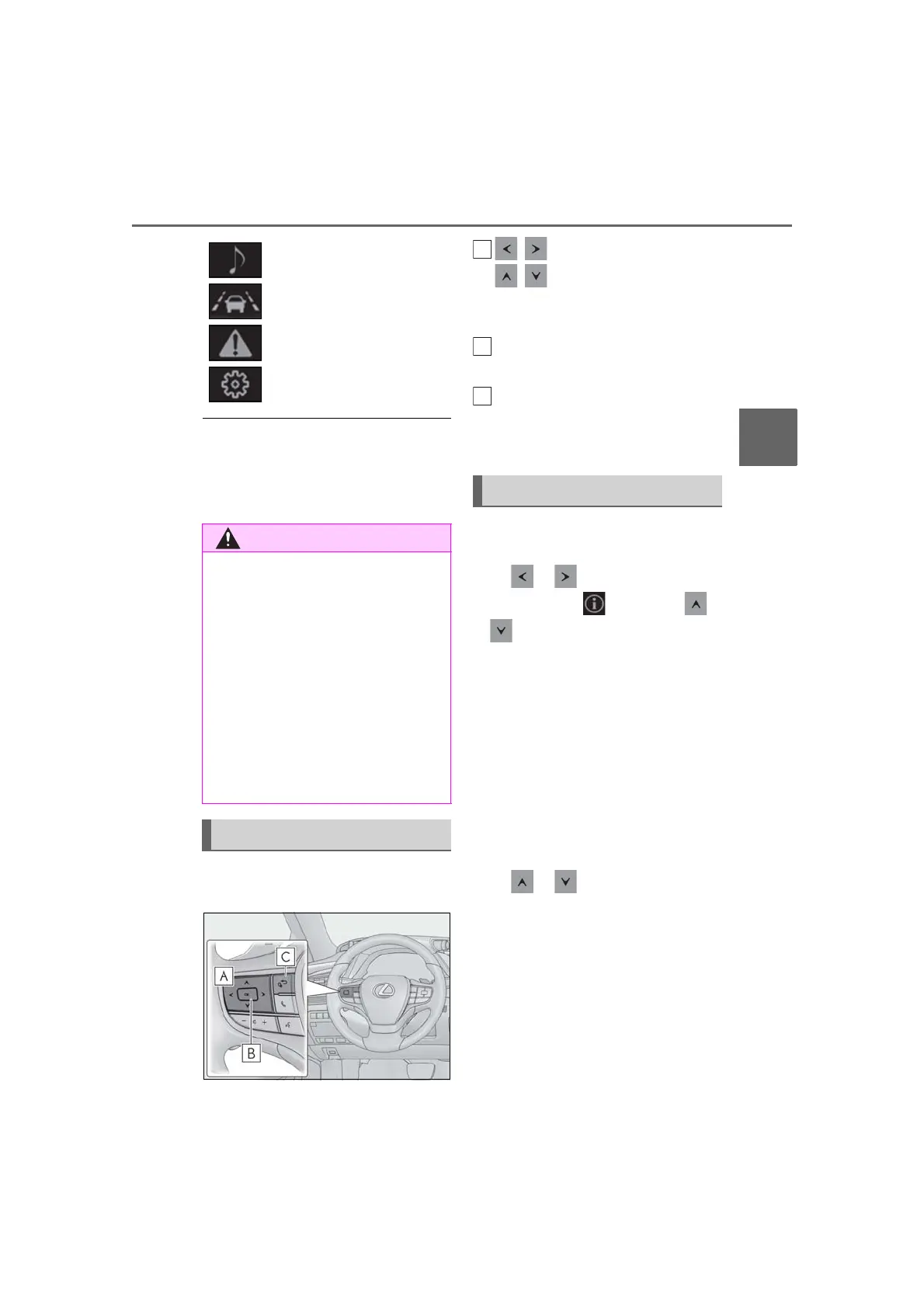
The multi-information display is oper-
ated using the meter control switches.
/ : Select menu icons
/ : Change displayed con-
tent, scroll up/down the screen and
move the cursor up/down
Press: Enter/Set
Press and hold: Reset
Move the main meter
*
and return
to the previous screen
*
:F SPORT models
■ Display items (except F SPORT
models)
Press or of the meter control
switch and select . Then press
or to display the following items:
Drive information 1
Drive information 2
Energy monitor (→P.97)
Tire pressure (→P.397)
Vehicle sway warning
Display off
■ Display items (F SPORT models)
Main meter in center position
Press or of the meter control
switch to display the following items:
Drive information 1
Drive information 2
Tire pressure (→P.397)
Gear positions
Units
Display off
Audio system-linked display
(→P.90)
Driving support system infor-
mation display (→P.90)
Warning message display
(→P.437)
Settings display (→P.90)
■ Caution for use while driving
● When operating the multi-information
display while driving, pay extra atten-
tion to the safety of the area around the
vehicle.
● Do not look continuously at the
multi-information display while driving
as you may fail to see pedestrians,
objects on the road, etc. ahead of the
vehicle.
■ The information display at low tem-
peratures
→P.78, 84
Changing the meter display
Content of driving information



 To Next Page