333
5-3. Using the air conditioning system and defogger
LS500h_OM_OM50F42U_(U)
5
Interior features
*
: If equipped
■ Center Display
Using the touchpad of the Remote
Touch, select the button on the screen.
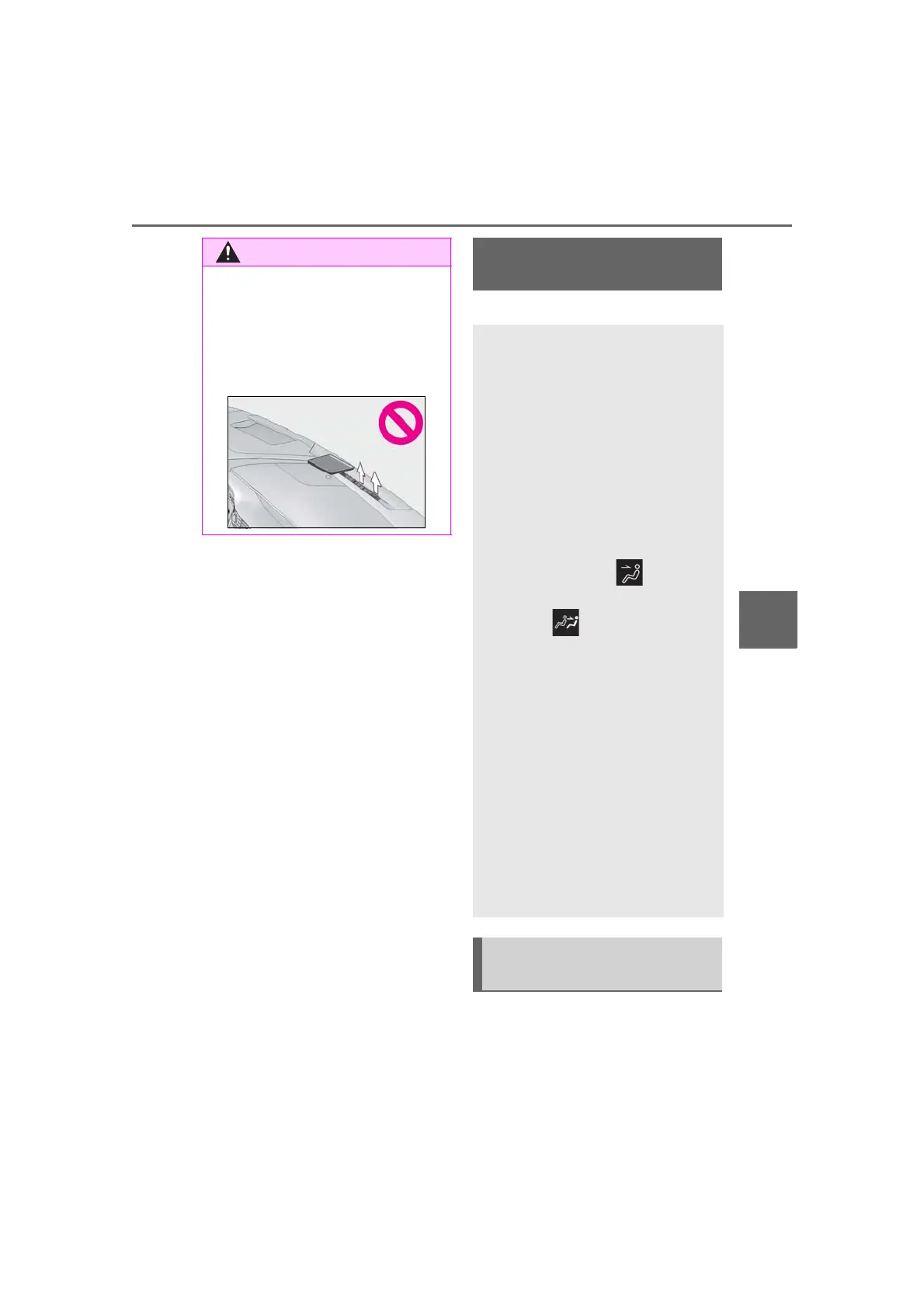
■ To prevent the windshield defogger
from operating improperly
Do not place anything on the instrument
panel which may cover the air outlets.
Otherwise, air flow may be obstructed,
preventing the windshield defoggers
from defogging.
Rear air conditioning sys-
tem
*
The air outlets and fan speed are
automatically adjusted according
to the temperature setting.
The rear air conditioning system
can be operated using the Center
Display and Rear Multi Operation
Panel.
Center Display
Press the “MENU” button on the
Remote Touch to display the main menu
and move the cursor to to display
the climate control shortcut buttons.
Then, select
to display the rear air
conditioning control screen.
Rear Multi Operation Panel
*
Touch “Climate” on the home screen to
display the rear air conditioning control
screen.(→
P.318)
Touching the shortcut button on the
home screen will also display operation
buttons for some of the rear air condi-
tioning system functions.
*
: The Rear Multi Operation Panel can-
not be used to operate the rear air
conditioning system if the function is
disabled. (→P.333)
Rear air conditioning control
screen



 To Next Page