329
5-3. Using the air conditioning system and defogger
LS500h_OM_OM50F42U_(U)
5
Interior features
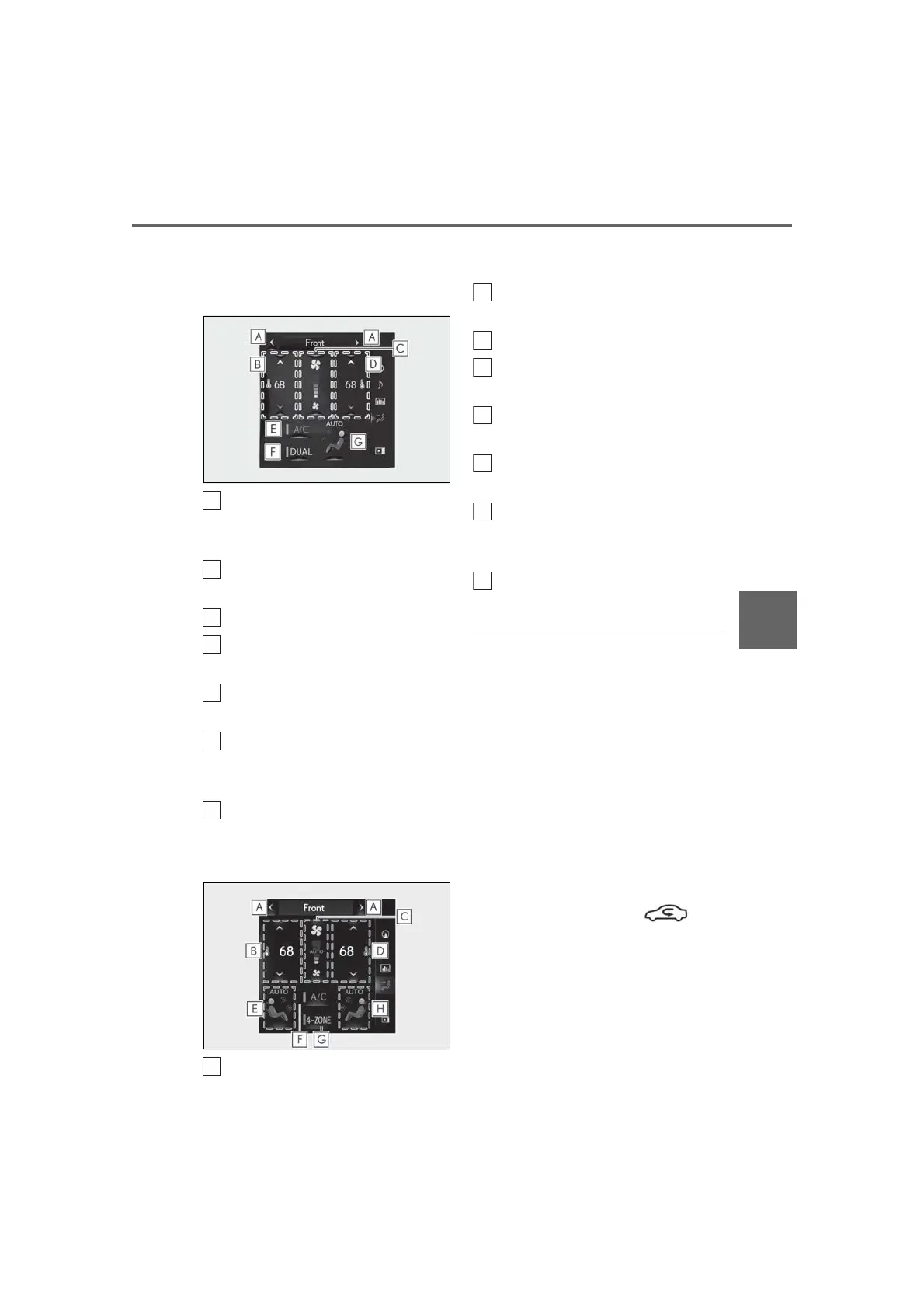
■ Side display
Vehicles with DUAL-ZONE climate
control
Display the front seat heaters/front
seat ventilators control screen
(→P.337)
Adjust the left-hand front seat side
temperature setting
Adjust the fan speed setting
Adjust the right side seat tempera-
ture setting
Set cooling and dehumidification
function on/off
Adjusting the temperature for
driver and passenger seats sepa-
rately (“DUAL” mode) (→P.331)
Select the air flow mode
Vehicles with 4-ZONE climate con-
trol
Display the front seat heaters/front
seat ventilators control screen
(→P.337)
Adjust the left-hand front seat side
temperature setting
Adjust the fan speed setting
Adjust the right side seat tempera-
ture setting
Select the left side seat air flow
mode
Set cooling and dehumidification
function on/off
Adjust the temperature for driver,
passenger and rear seats sepa-
rately (“4-ZONE” mode) (→P.331)
Select the right side seat air flow
mode
■ Windshield wiper de-icer (if equipped)
This feature is used to prevent ice from
building up on the windshield and wiper
blades.
The windshield de-icer will automatically
turn off after a while.
■ Eco air conditioning mode
When Eco drive mode is selected using the
driving mode select switch, eco air condi-
tioning mode turns on.
When a drive mode other than Eco drive
mode is selected, eco air conditioning
mode may turn off.
■ Micro dust and pollen filter
Outside air mode switches to
(recirculated air) mode. Pollen is removed
from the air and the air flows to the upper
part of the body.
Usually the system will automatically turn
off after a while.
In order to prevent the windshield from fog-
ging up when the outside air is cold, the
dehumidification function may operate or
the outside/recirculated air mode may not



 To Next Page