264
8-1. Phone operation (Hands-free system for cellular phones)
the accounts that exist on the cur-
rently connected phone.
5 Check that the message screen is
displayed.
“Phone”: Select to change to phone
mode.
The following functions can be used
on message function:
• Receiving a message (P.264)
• Checking messages (P.264)
• Replying to a message (dictation
reply) (P.265)
• Replying to a message (quick reply)
(P.266)
• Calling the message sender
(P.266)
• Message settings (P.276)
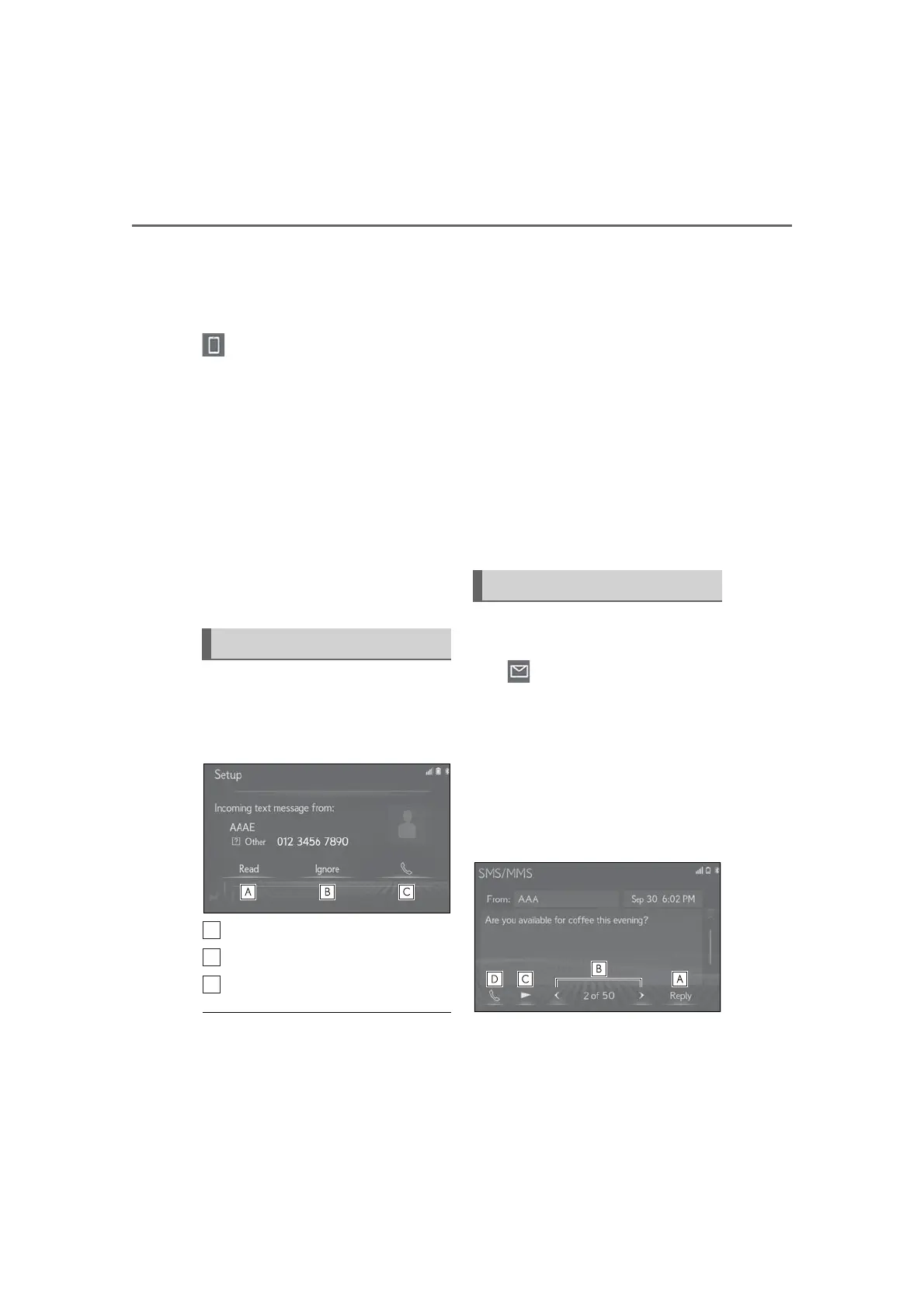
When an e-mail/SMS/MMS is
received, the incoming message
screen pops up with sound and is ready
to be operated on the screen.
Select to check the message.
Select to not open the message.
Select to call the message sender.
● To display the above screen, it needs to
be set to “Full Screen” on “Incoming
SMS/MMS Display” and “Incoming
E-mail Display”. (P.269) Default set-
ting is “Drop-down”.
● Depending on the type of Bluetooth
®
phone used for receiving messages, or its
registration status with the system, some
information may not be displayed.
● The pop-up screen is separately available
for incoming e-mail and SMS/MMS
messages under the following conditions:
E-mail:
• “E-mail Notification Pop-up” is set to on.
(P.269)
SMS/MMS:
• “SMS/MMS Notification Pop-up” is set
to on. (P.269)
● Depending on the type of Bluetooth
®
phone being connected, E-Mail function
cannot be used via Bluetooth
®
.
1 Display the message screen:
“MENU” button “Phone”
“Message”
2 Select a desired account name that
is displayed on the left side of
screen.
3 Select the desired message from
the list.
4 Check that the message is dis-
played.
Receiving a message
Checking messages



 To Next Page