1000i Series IP Phone (SMB)
User Guide Issue 1.0
10
1.7.1 1024idss Installation
The DSS should be installed on the phone prior to making any connections to the phone. This simplifies the
installation for 1030i Phone and 1024idss.
To install the DSS
1) First, assure the phone is NOT connected to power. For convenience, you may wish to remove the
handset and foot-stand; this simplifies the DSS installation.
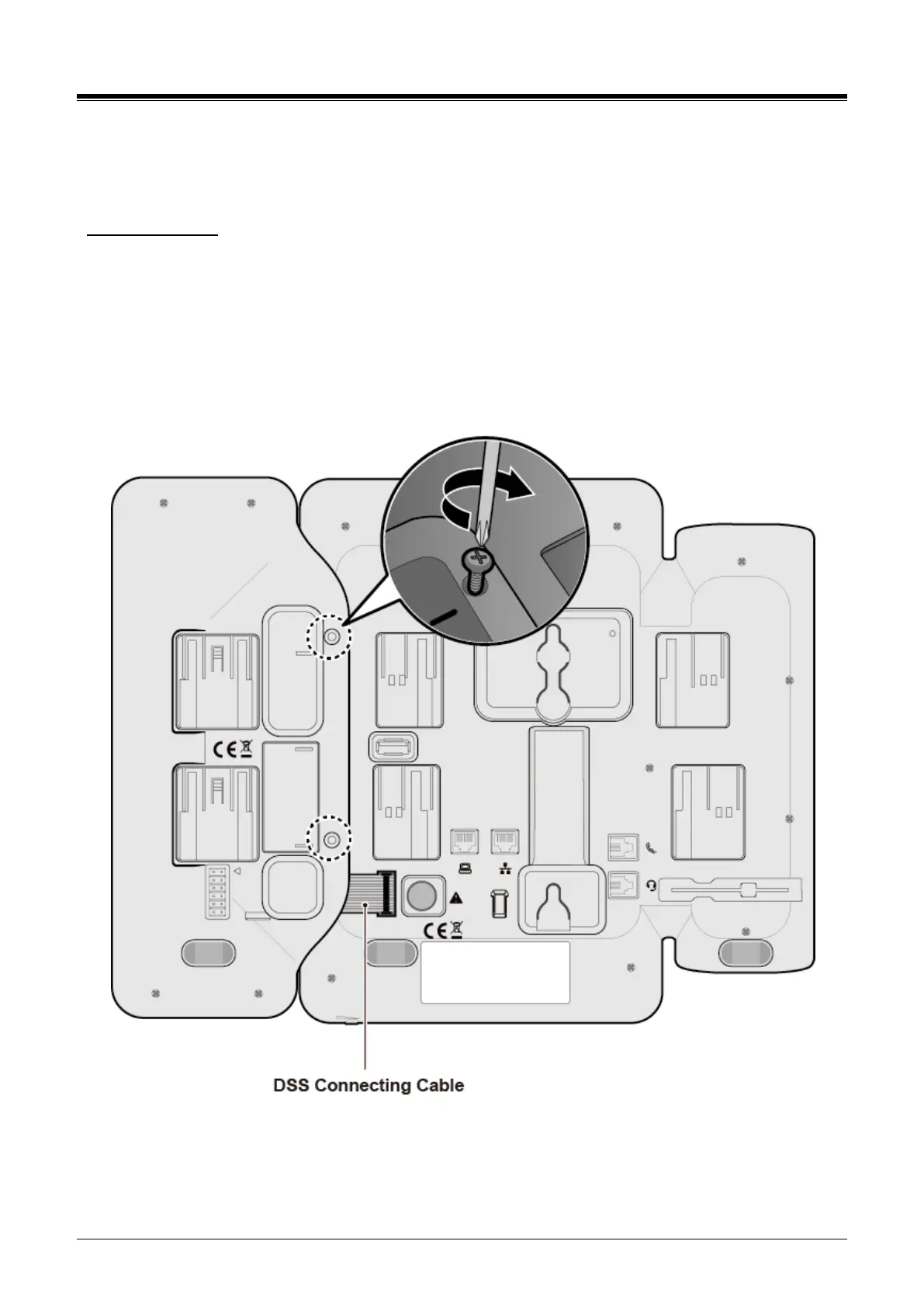
2) Align the DSS and phone as shown in the drawing.
3) Connect the DSS Connecting Cable to the phone.
4) Push the DSS into the phone until the DSS is fully engaged.
5) Insert the screws provided through the screw tabs in the DSS and tighten the screws into the
phone. Do not over-tighten.
Figure 1.7-2: 1024idss Installation














 To Next Page