1000i Series IP Phone (SMB)
User Guide Issue 1.0
11
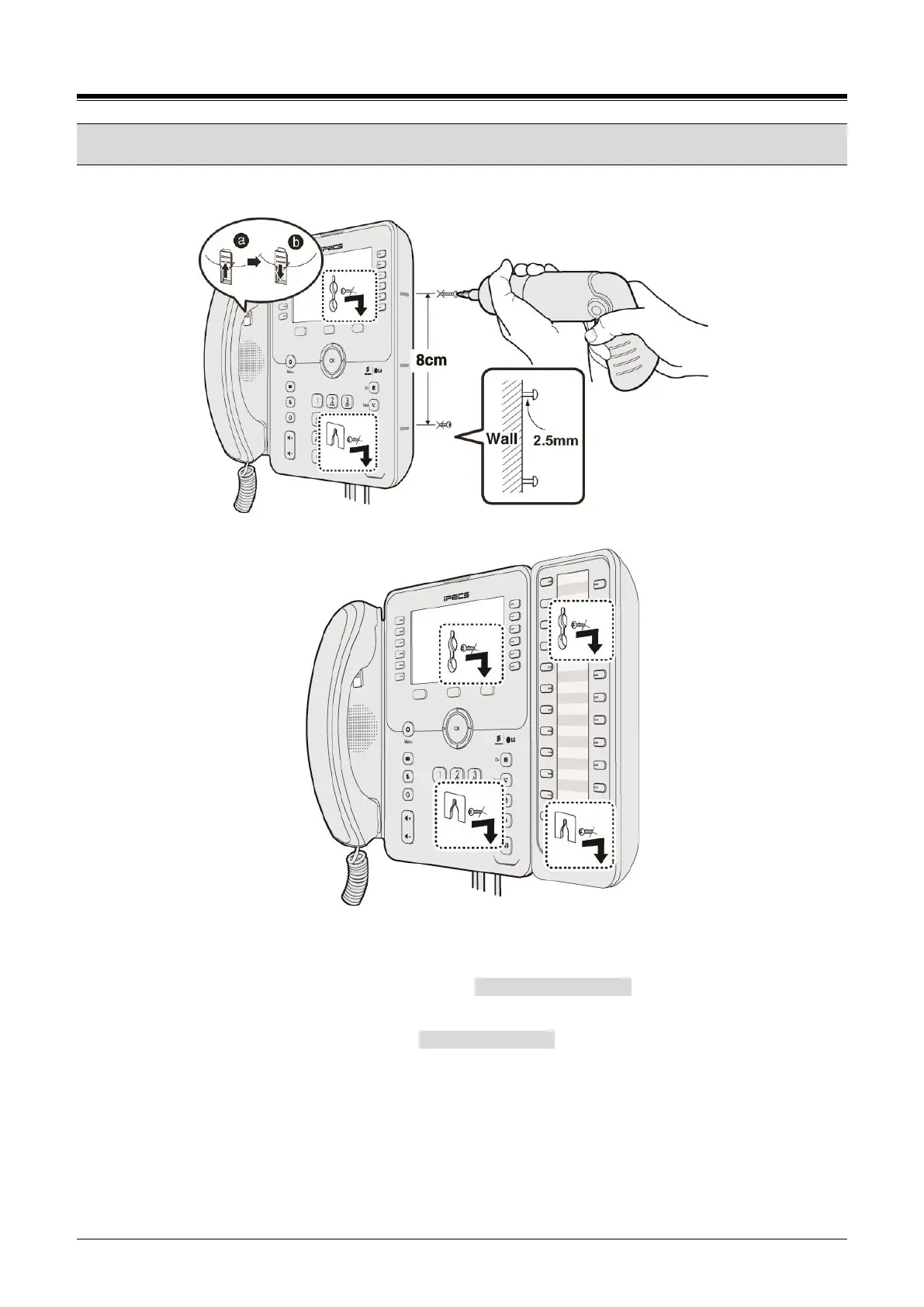
1.8 Wall Mount Installation
The following instructions describe the wall mount installation. Note the foot-stand must not be installed.
Figure 1.8_Wall Mount Installation
1) If installed, remove the foot-stand from the Phone and DSS.
2) Connect all wiring to the Phone as described in “1.6 1000i Installation” section. Connect the Phone
side wiring only.
3) If required, install DSS as described in “1.7 DSS Installation” section.
4) Mark and drill two 7mm holes for plastic wall anchors (not included).
5) Insert the two anchors into the holes and insert and tighten the two screws (not included) leaving
about 2.5 mm (1/8-inch) exposed.
6) Align the key holes in the phone over the screws and slide the phone down assuring the phone is
secure.














 To Next Page