1000i Series IP Phone (SMB)
User Guide Issue 1.0
52
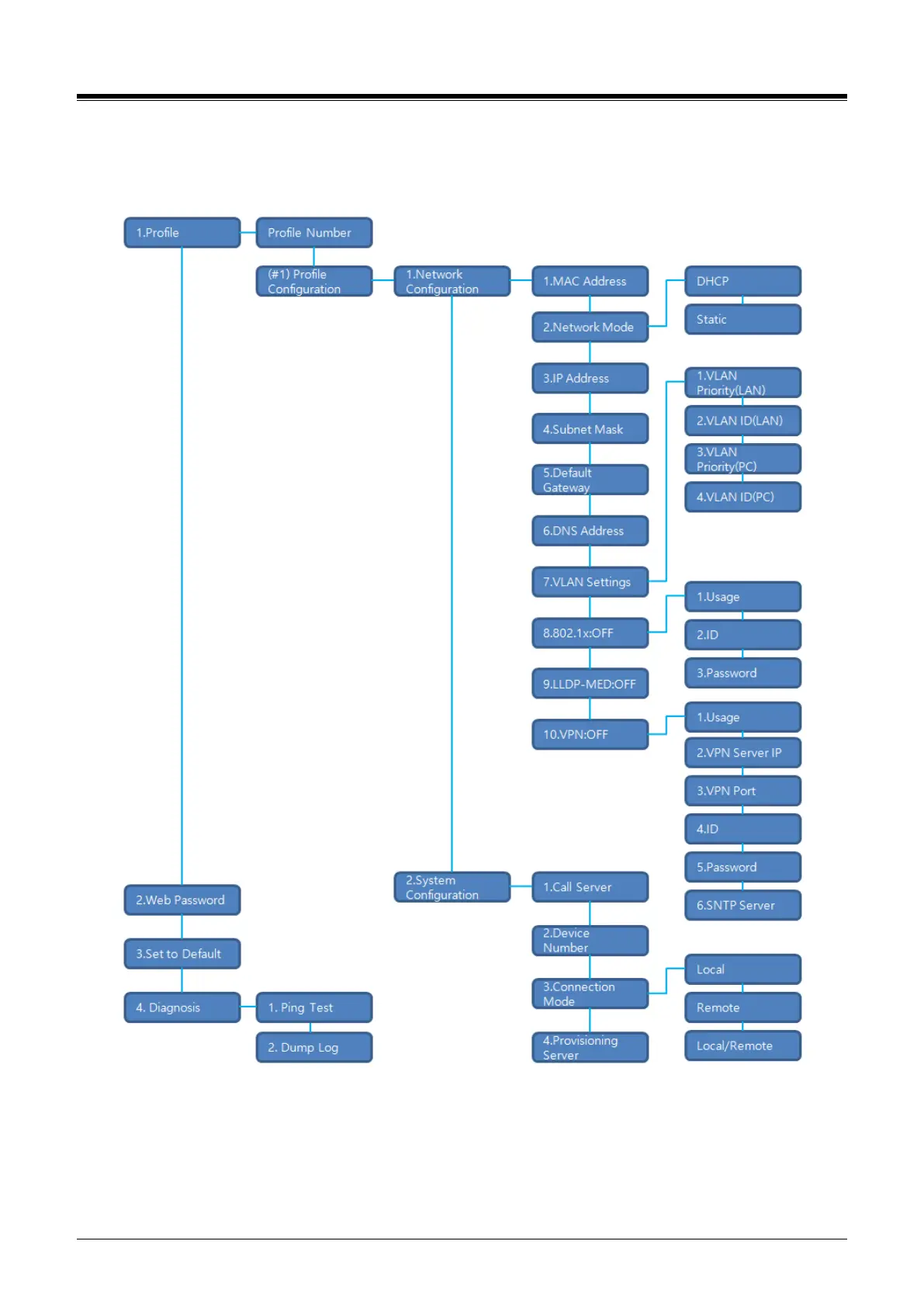
9.2.4 Network Configuration
The network Configuration menu affects the connection of your phone to your local area network; it is intended
for access by trained technicians only. The structure of the Network Configuration menu is shown below.
Figure 9.2.4: 1000i menu tree of network configuration
Profile: 1000i phone operates two independent profiles. Each profile has submenus as shown above.
Web Password: sets passwords for all accounts as default in both profiles.
Set to Default: sets all features as default.
Diagnosis - used in case of network emergency and to diagnose the terminal itself problem.














 To Next Page