1000i Series IP Phone (SMB)
User Guide Issue 1.0
57
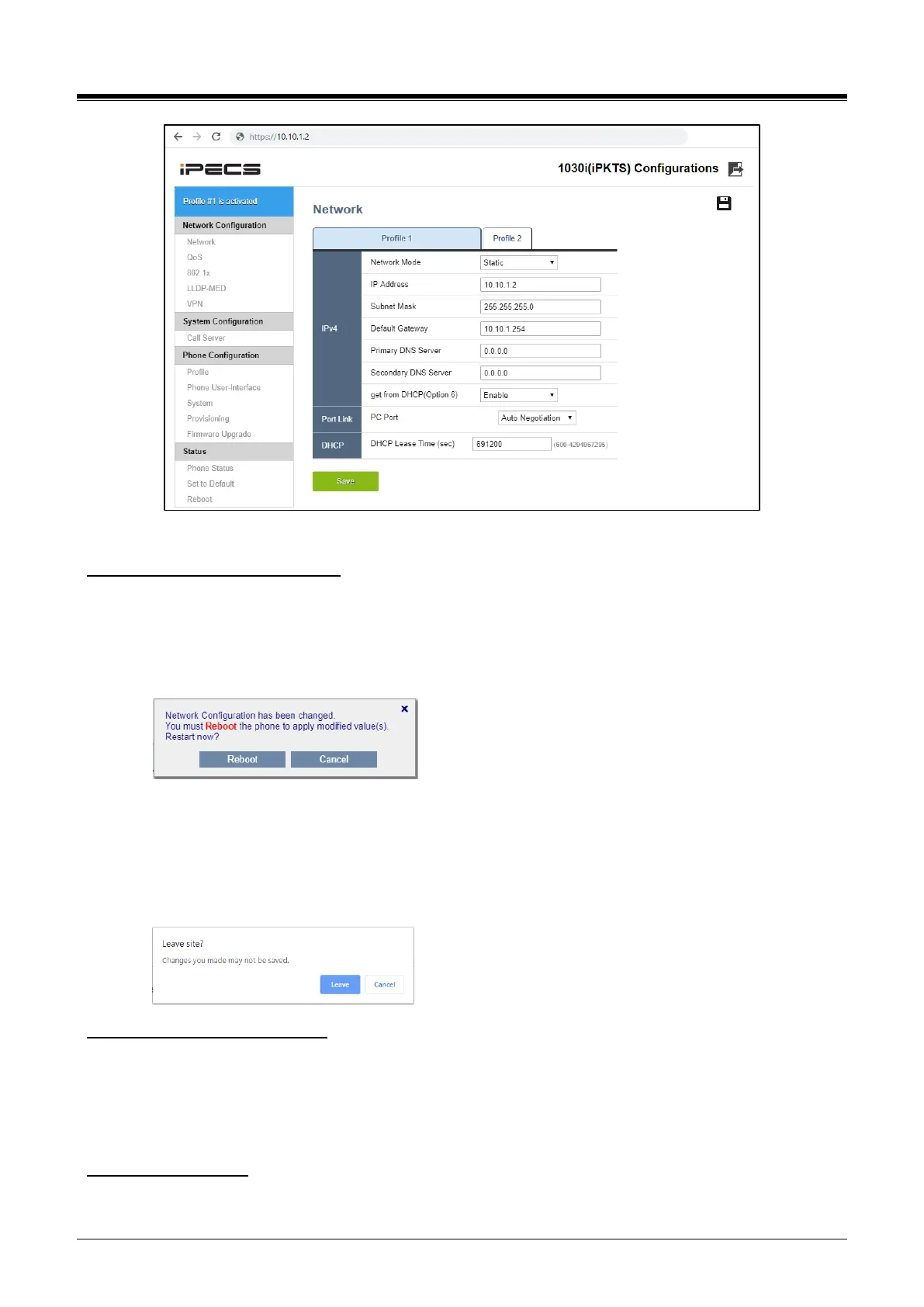
Figure 10.3-2: 1000i Web Configuration
To set the network configurations:
1) Click one menu item in “Network Configuration” category on the left.
2) Check the contents of the selected menu in the right.
3) Change the value of the desired fields, then click the Save button or the Save icon at the top.
4) If you change a field requires a reboot, the following confirmation box is displayed.
You can click the ‘Cancel’ button to continue the setup process. Or you can click the ‘Reboot’ button
to restart and apply the new value.
5) If you leave the page without saving, the following confirmation message appears. Click the
"Cancel" button to stay on the current page to keep your changes or click "Leave" to exit the menu
without saving your changes. The label of the button may vary depending on the browser.
To set the server configurations:
1) Click the “Call Server” link on the left.
2) Enter values in the Server Address, Phone Number fields.
3) Set the connection type among the three modes.
4) Save new changes.
To change the profile:
1) Click the “Profile” link on the left.














 To Next Page