EasyManua.ls Logo

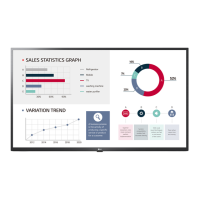
LG 84WT70PS - User Manual

LG 84WT70PS
82 pages
Print Icon
To Next Page IconTo Next Page
Loading...
www.lg.com
OWNER’S MANUAL
MONITOR SIGNAGE
84WT70PS
Please read this manual carefully before operating the your set and
retain it for future reference.
MONITOR SIGNAGE MODELS

Table of Contents

Questions and Answers

  • R
    Ryan DavisSep 4, 2025
    Why can't I use 10 touch points on my LG Touchscreen in Windows 7?
    • C
      Colton KingSep 4, 2025
      If you cannot use 10 touch points on your LG Touchscreen in Windows 7, consider the following: * Ensure the content you are using (e.g., Flash Player, Paint) supports up to 10 touch points, as the content played may not support 10 touch points. * Remove the USB cable and connect it again after 10 seconds. * Run the content (e.g. Flash Player, Paint, etc.) again. * Restart your PC.
  • J
    Justin WrightSep 5, 2025
    Why is touch applied to the wrong monitor on my LG Touchscreen?
    • J
      Joel ScottSep 5, 2025
      If a touch is applied to a monitor other than the one you intended on your LG Touchscreen, especially when using multiple monitors, try the following: * Set the monitor as the default monitor in Control Panel > Display > Settings tab > Select the monitor > Use this device as the primary monitor (U) > Apply (A). * Calibrate the touch screen through Control Panel > Hardware and Sound > Tablet PC Settings > Display > Display options > Calibrate or Reset.
  • C
    Cheryl LopezSep 6, 2025
    What causes after-image on my LG Touchscreen and how to prevent it?
    • C
      Carlos JenkinsSep 6, 2025
      If an after-image appears on your LG Touchscreen, it may be due to using a fixed image for a long time. To prevent this, use the screen-saver function.
  • K
    Kendra FloresSep 6, 2025
    How to disable 'Key Lock On' message on LG Touchscreen?
    • J
      James PatelSep 6, 2025
      If the 'Key Lock On' message appears on your LG Touchscreen, the lock function is preventing changes to the OSD settings. To release the lock, go to Menu and Option and disable the Key Lock option.
  • M
    melissawheelerSep 7, 2025
    What to do if no image is displayed on my LG Monitor?
    • K
      Kaylee MartinezSep 7, 2025
      If your LG Monitor isn't displaying an image, ensure the power cord is properly connected to the outlet and that the power switch is turned on. Also, adjust the brightness and contrast settings. Check the signal cable and press the INPUT menu on the remote control to verify the input signal. If the signal from your PC's video card is out of the monitor's frequency range, adjust it by referring to the specifications in the manual.
  • K
    Keith SandersSep 8, 2025
    Why does the screen image look abnormal on my LG Monitor?
    • J
      jimmy56Sep 8, 2025
      If the screen image looks abnormal on your LG Monitor, try the following: * Press the "AUTO" button on the remote control to automatically select the optimal screen status. * If the adjustment is not satisfactory, select [PICTURE] - [Screen] - [Position] in the OSD menu. * Verify that the video card resolution and frequency are supported by the monitor. If the frequency is out of range, set it to the recommended resolution in the Control Panel "Display" settings. * Ensure the proper input signal is connected to the signal port by connecting the appropriate signal cable.

Summary

ASSEMBLING AND PREPARING

Parts and Buttons

Identifies physical parts and buttons on the monitor and its connection panel for user reference.

Mounting on a Wall

Guidelines and safety precautions for properly mounting the monitor on a wall.

REMOTE CONTROL

USING THE MONITOR

Connecting to a PC

Explains how to connect a PC to the monitor, including the Plug & Play feature.

ENTERTAINMENT

Connecting USB Storage Devices

Guide to connecting USB devices (HDD, memory) to play media files.

CUSTOMIZING SETTINGS

PICTURE Settings

How to adjust picture settings like mode, energy saving, and aspect ratio for optimal viewing.

SOUND Settings

How to adjust sound settings like mode, virtual surround, clear voice, and AV sync.

NETWORK Settings

How to configure network connection, check status, and enable display sharing.

MAKING CONNECTIONS

USING THE TOUCH SCREEN

To Use the Touch Screen on Windows 7; 8 (Enterprise)

Steps to connect and enable touch screen functionality with compatible Windows operating systems.

TROUBLESHOOTING

No image is displayed

Solutions for issues where no image appears on the screen, checking connections and power.

The screen image looks abnormal.

Solutions for various screen image abnormalities like incorrect position, noise, or blurriness.

The audio function does not work.

Troubleshooting steps for issues related to no sound or poor audio quality.

Screen color is abnormal.

Solutions for abnormal screen color, instability, or pixel issues.

The operation does not work normally.

Troubleshooting for general operational issues, such as sudden power off or unresponsiveness.

I have a problem with touch response.

Comprehensive guide to resolving issues related to touch screen input and calibration.

Display Sharing function does not operate.

Solutions for problems encountered when using the Display Sharing feature.

CONTROLLING THE MULTIPLE PRODUCT

Command Reference List

Comprehensive list of commands, their codes, and data ranges for product control via RS-232C.

Transmission; Receiving protocol

Explains the command transmission format and acknowledgement protocols for product control.

LG 84WT70PS Specifications

General IconGeneral
Screen Size84 inches
Contrast Ratio1200:1
Viewing Angle178°/178°
Panel TypeIPS
Display TypeLED
Response Time8 ms
External ControlRS-232C, LAN
OrientationLandscape / Portrait
Operating Temperature0°C to 40°C
Operating SystemWebOS
RAM2 GB
Resolution3840 x 2160
Brightness500 cd/m²
InputHDMI, DisplayPort
OutputAudio Out
Power Supply100-240V~, 50/60Hz
ProcessorQuad Core
PortsUSB, HDMI, DisplayPort, RS-232C, LAN
Power Consumption450W

Related product manuals