14
ENGLISH_Index
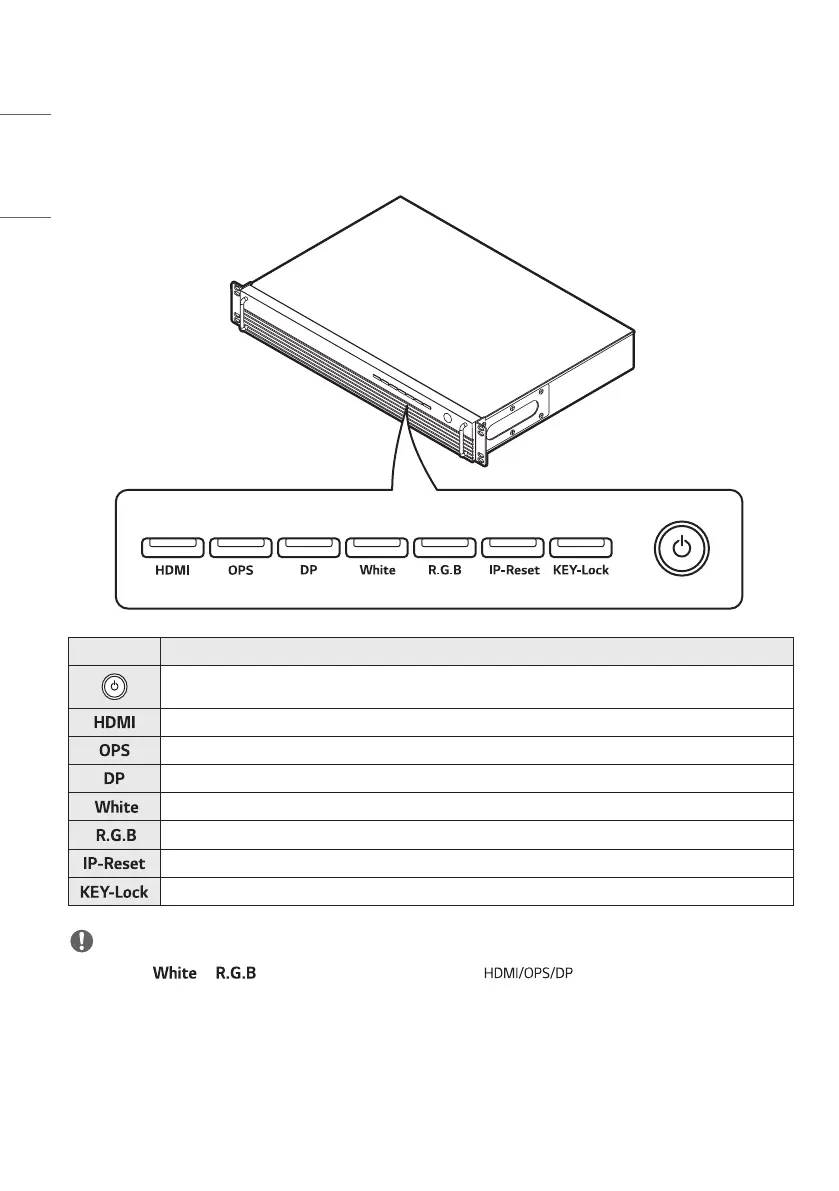
Parts and Buttons
The illustrations may differ depending on the model.
Explanation
• Turns the power on and off.
• Switches to HDMI input.
• Switches to OPS input.
• Switches to DP input.
• Accesses/Exits White Pattern.
• Consecutively accesses/exits R/G/B Pattern.
• Press and hold for 3 seconds or more to set the IP address to 192.168.0.101.
• Press and hold for 3 seconds or more to access/exit Key Lock.
NOTE
• If you press or to access the corresponding pattern, screen will not be available. If you
want to switch to the external input screen, repeatedly press the button until you exit from the pattern.



 To Next Page