ENGLISH
3
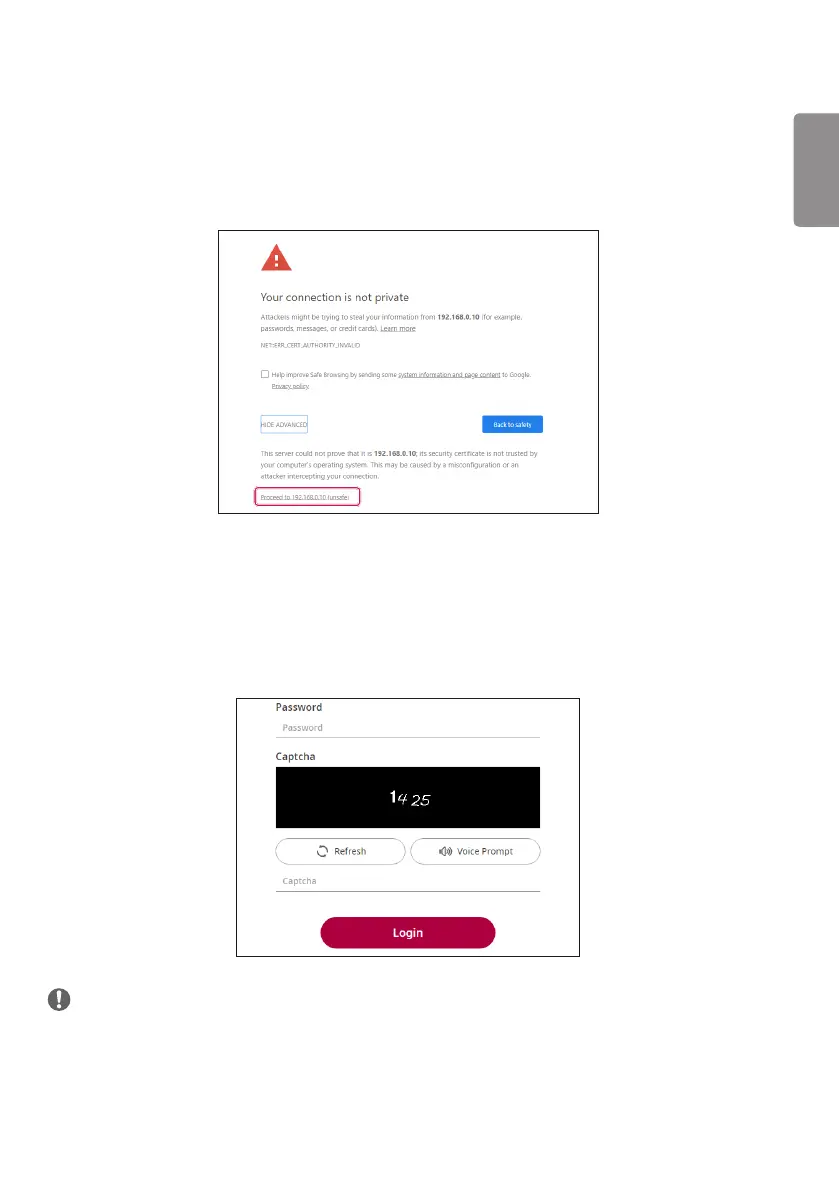
How To Access LG System Controller Page
1 Enter
https://System Controller's IP Address:3737
into the address field of the web browser.
2 Select Advanced, and select Move to SetIP (unsafe).
3 Enter the password into the password field. (Default set value: serial number followed by LGe12#)
For example, the password for serial number ABCD123456789 would be ABCD123456789LGe12#.
4 Enter CAPTCHA (auto input prevention).
5 When you sign in for the first time, a password change pop-up will appear and you’ll be required to
change the password.
6 The password should consist of more than 8 characters, including numbers, upper and lowercase
alphabets, and special characters. The new password cannot be the same as the old password.
NOTE
• If you’re setting up more than one System Controller, configure local networks (router, hub, etc.) that are
separate from each other to prevent the same power unit from being registered more than once.



 To Next Page