ENGLISH
5
Network
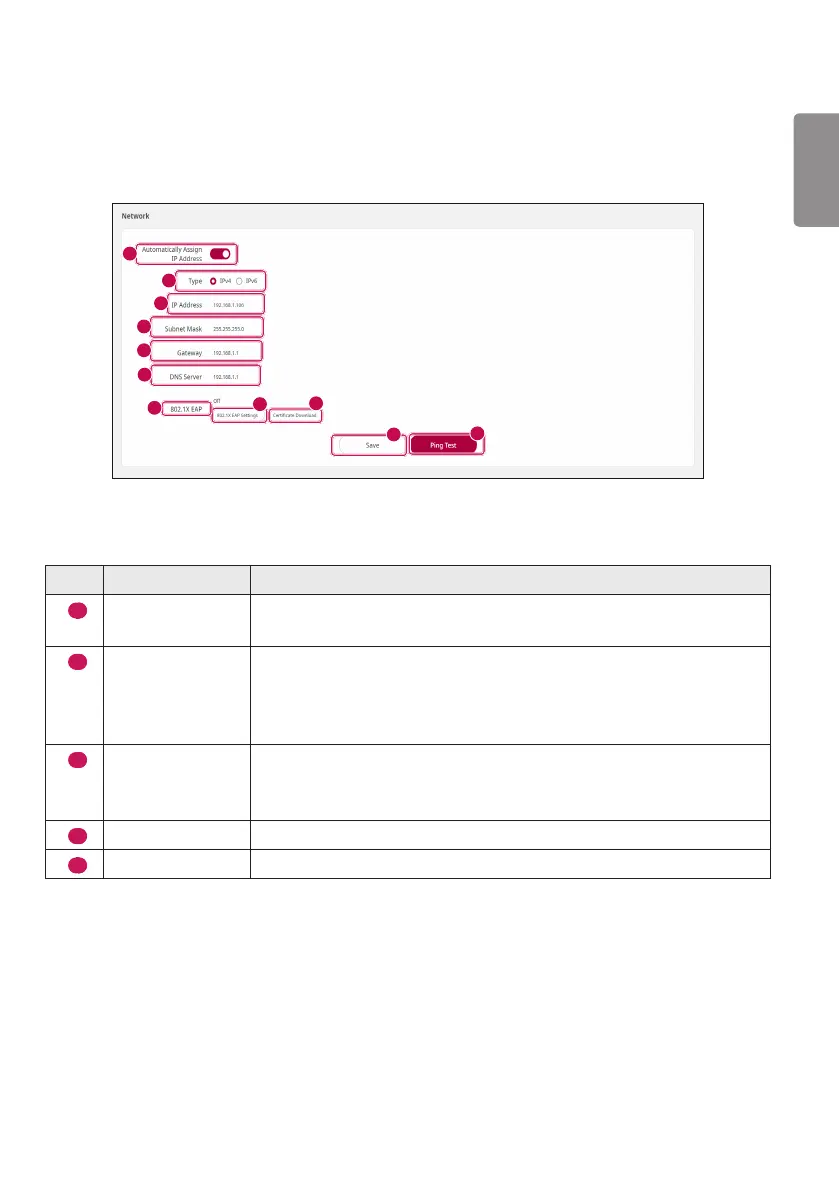
You can change the network configuration environment of the System Controller. You can access the
System Controller page via the set value. (See the section of “Network” on page 17.)
1
2
3
4
5
6
10
8
9
7
11
※Numbers7to9areonlysupportedbysomemodels.
No. Item Description
1
Automatically
Assign IP Address
Automatically receives the IP via the Dynamic Host Configuration Protocol
(DHCP) method.
2
Type
You can select either IPv4 or IPv6 method for the System Controller’s IP
address.
If you select IPv6 for the System Controller’s IP address system, you
cannot manually set other options.
3
IP Address
You can manually set the System Controller's IP address.
After you change the System Controller’s IP address, you can access
through the new IP address.
4
Subnet Mask
You can manually set Subnet Mask.
5
Gateway
You can manually set Gateway.



 To Next Page