ENGLISH
6
6
DNS Server
You can manually set the address of the Domain Name System (DNS)
server.
7
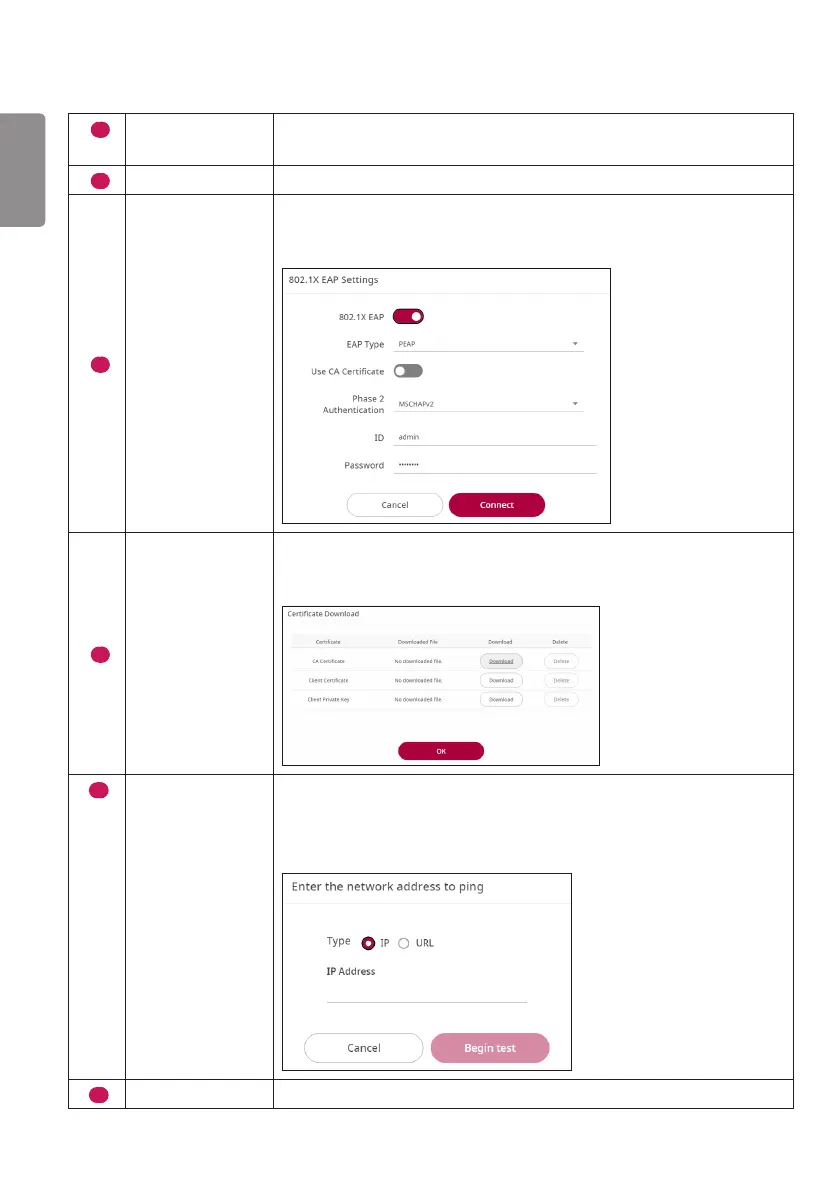
802.1X EAP
Authentication based on IEEE 802.1X can be used for wired connections.
8
802.1X EAP
Settings
Select the desired EAP type and Phase 2 Authentication, enter the ID/
password registered in the authentication server, and click the ‘Connect’
button to save the connection settings.
9
Certificate
Download
This is the function for downloading the certificate and key required for
802.1X EAP authentication. It supports certificates and keys with a pem
extension.
10
Ping Test
It is performed by the two methods: the IP address and URL address
methods.
It receives/transmits a ping for the input address 10 times, conducts a
Ping Test, and outputs the results.
11
Save
You can apply the set value via the Save button.



 To Next Page