The status bar
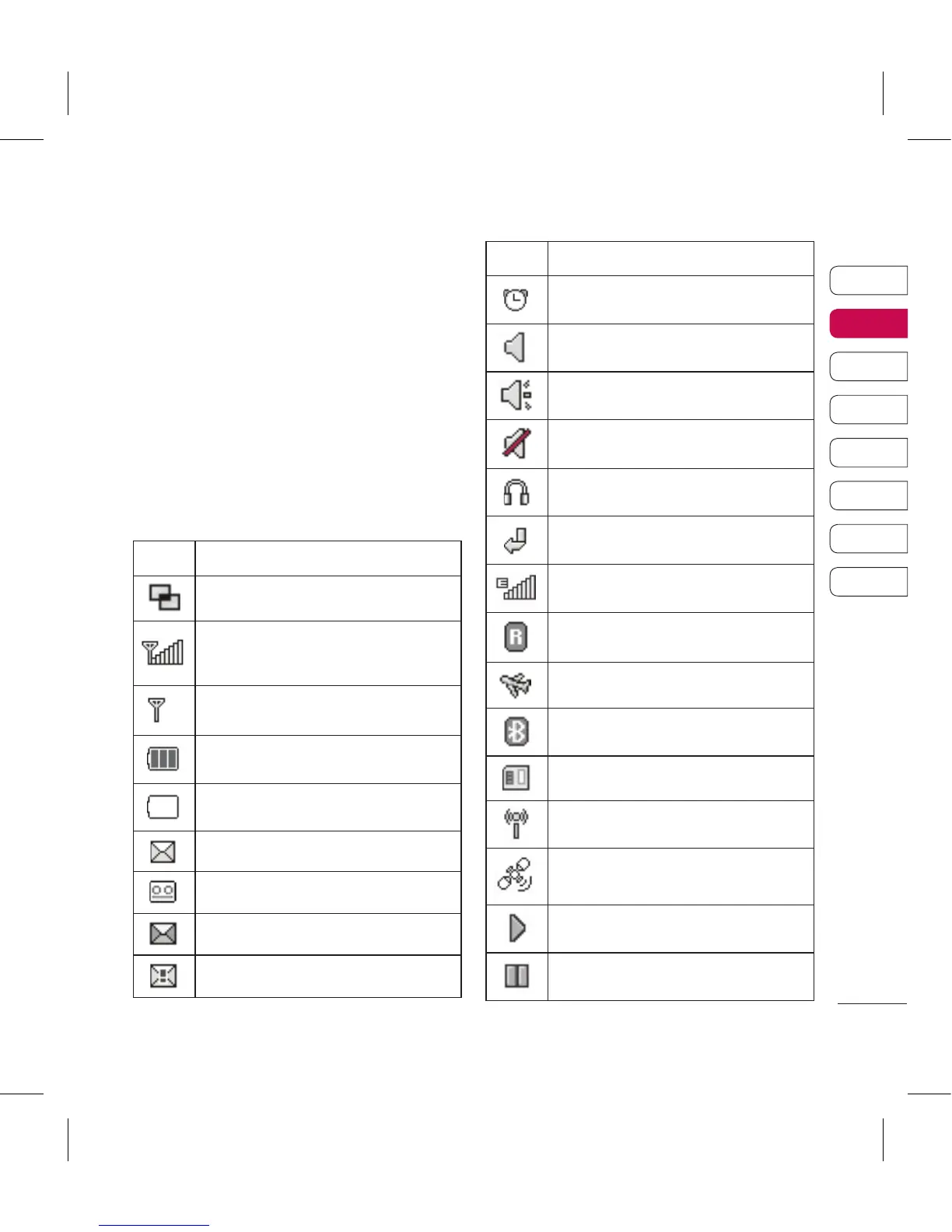
The status bar uses various icons to
indicate things like signal strength,
new messages and battery life as
well as telling you whether your
Bluetooth or GPRS is active.
Below is a table which explains the
meaning of icons you’re likely to see
in the status bar.
Icon Description
Multitasking
Network signal strength
(number of bars will vary)
No network signal
Remaining battery life
Battery empty
New text message
New voice message
Message inbox is full
Message sending failed
Icon Description
An alarm is set
Normal profile in use
Outdoor profile in use
Silent profile in use
Headset profile in use
Calls are diverted
EDGE in use
Roaming
Flight mode is on
Bluetooth is active
Memory card in use
Wifi on
GPS on (Geo-tagging,
Jogging buddy)
BGM play
BGM pause


 To Next Page
 Loading...












