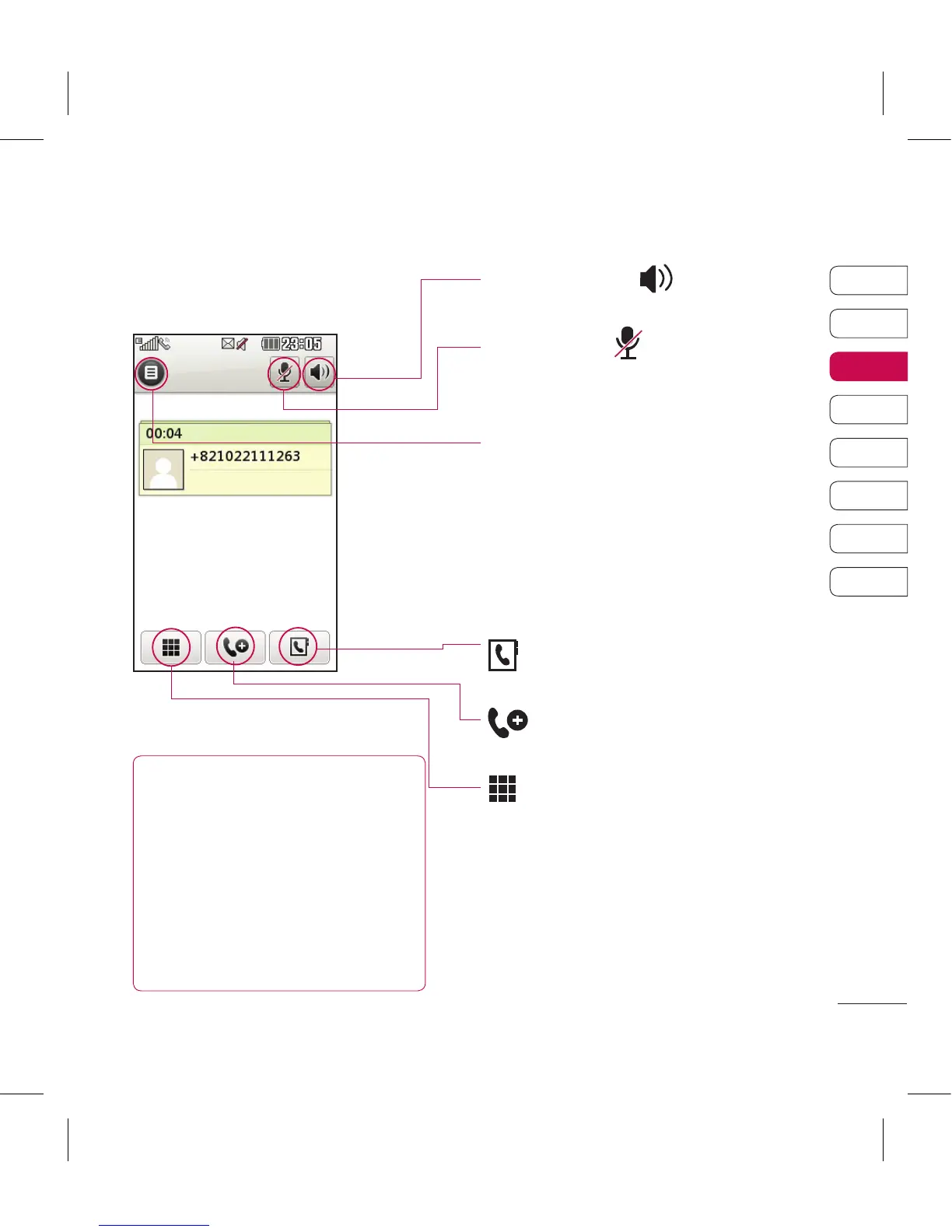
In-call options
TIP! To scroll through a list
of options or your list of
contacts, touch the last item
visible and slide your nger
up the screen. The list will
move up so more items are
visible.
Speaker - Touch to turn on the
speaker phone.
Mute - Touch to turn off the
microphone so the person you are
talking to cannot hear you.
Options - Choose from a list of
further in-call options, including
Create new memo and Go to
messages, so you can check your
messages and add contacts during
a call. You can also end the call
from here by touching End call.
- Choose to search your
contacts during a call.
- Choose to add another
person to the call.
- Touch to open a numerical
keypad for navigating menus with
numbered options. For example,
when dialling call centres or other
automated telephone services.



 To Next Page