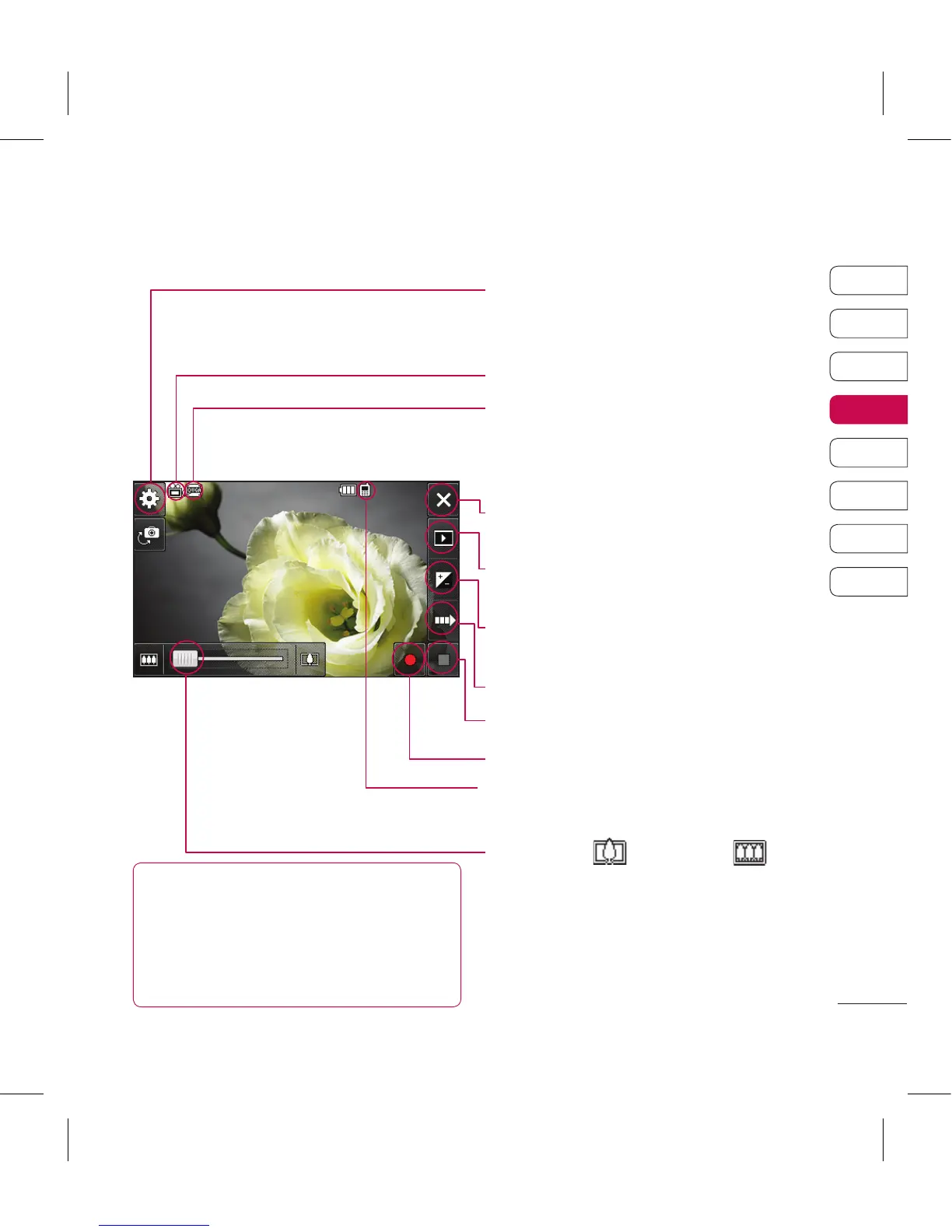
Getting to know the viewfinder
TIP! You can close all the
shortcut options for a clearer
viewnder screen. Simply touch the
centre of the viewnder once. To recall
the options touch the screen again.
Settings - Touch this icon to open the
settings menu. See Using the advanced
settings on page 60 for details.
Video mode - Video mode is selected.
Image size
Back - Touch here to return to the home
screen.
Gallery
Exposure - See Adjusting the Exposure on
page 60.
Recording speed
Stop recording
Start recording
Saving to handset memory/external
memory
Zoom - Touch to zoom in or to
zoom out. Alternatively you can use the side
volume keys.



 To Next Page