Handwriting recognition translates
stylus gestures into letters,
numbers or other character, and
displays these characters as text.
Handwriting recognition is only
active where text can be entered.
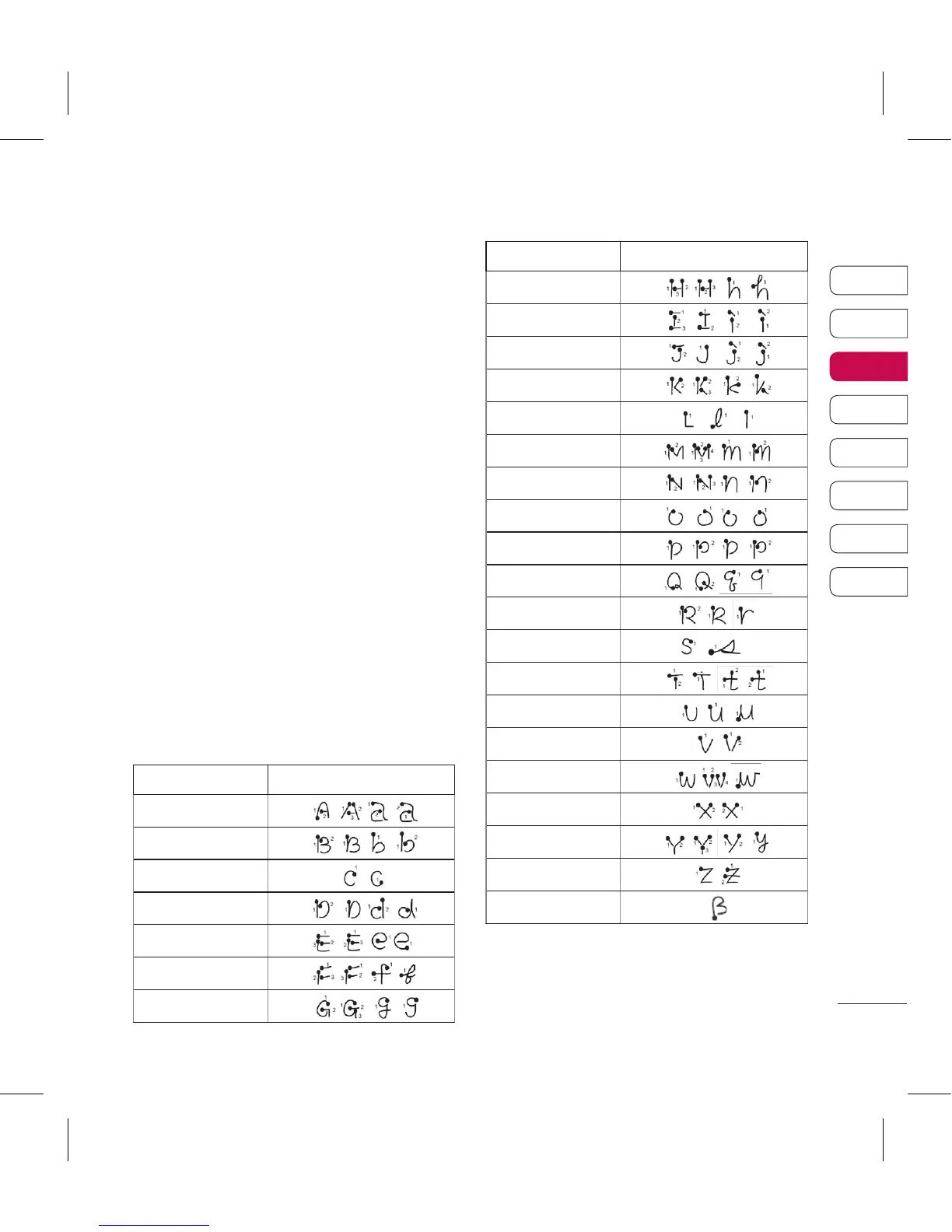
Note: Most letters can be written
using different stroke styles. See
the tables below. The arrow selects
whether the letter is upper or lower
case, not the style of writing.
Alphabet
If you select capital letter mode
(ABC), letters you type will be
inserted as capital letters even if you
write in small letters, and vice versa.
Letter Strokes
A



 To Next Page