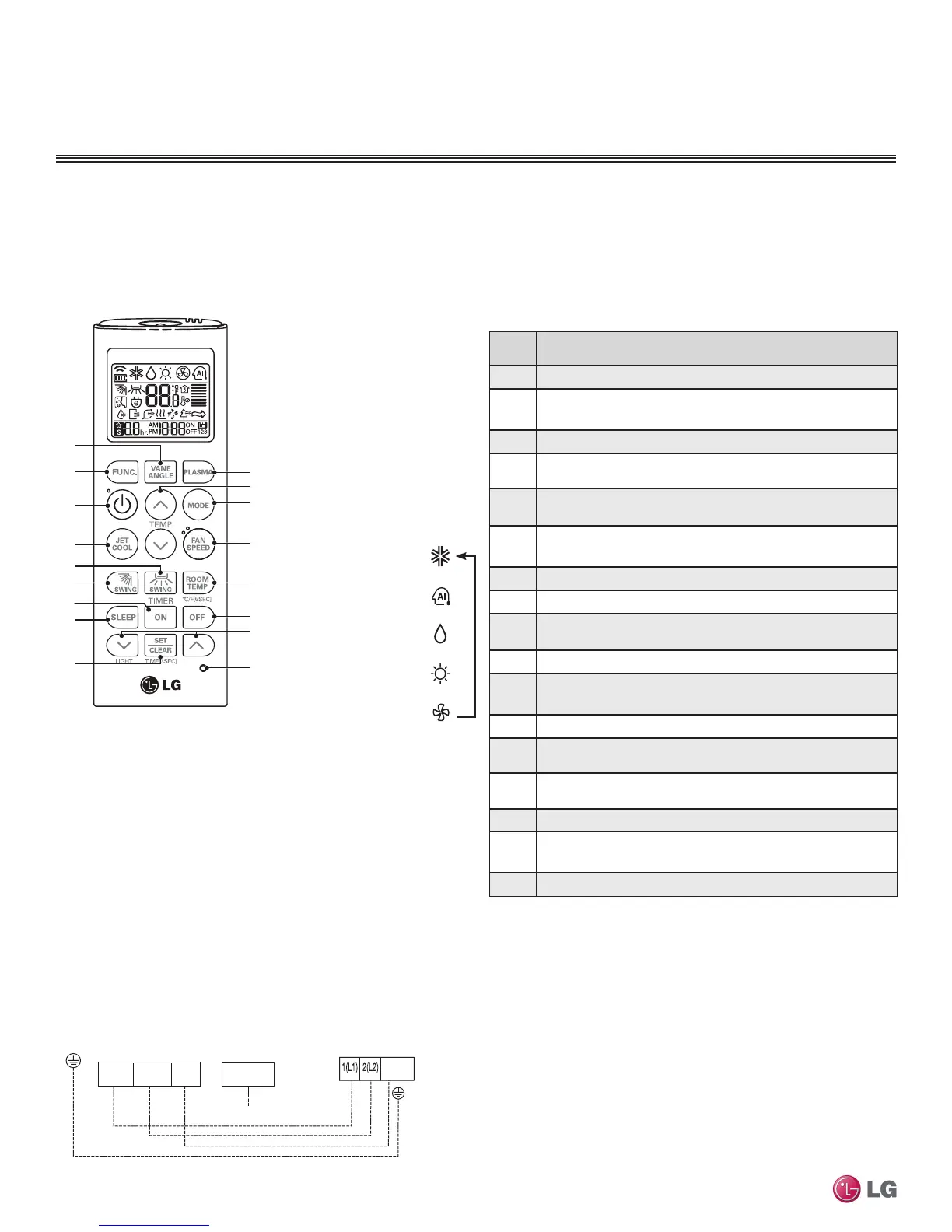
Figure 210:AKB73757604 Wireless Handheld Controller.
Indoor Unit Terminal Block
1(L1 )2(L2)
GND
3(C)
Outdoor Unit Terminal Block or
Branch Distribution Unit Terminal Block
(Multi F MAX Systems Only)
GND
GRN / YLW
BR
BL
RD
3 or S
CN-REMO
To Wired Controller
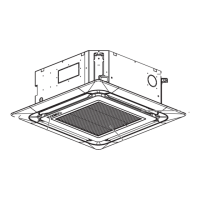
FOUR-WAY CEILING-CASSETTE INDOOR UNITS
Installation and Best Layout Practices
Controller Options
Four-way ceiling-concealed indoor units include a wireless handheld controller (AKB73757604)
1
, but optional LG-supplied wired controllers
are available (see Controls and Options overview on pages 9 to 12 in this manual’s introduction section).
Wired Controller Connections
Wireless Handheld Controller
Table 82:AKB73757604
1
Wireless Handheld Controller Functions.
2
Button
Label
Description
1 Vane Angle Button: Sets the angle to each vane.
2
Function Setting Button: Sets or clears auto clean, smart clean,
electric heater, or individual vane angle control functions.
3 On / Off Button: Turns the power on/off.
4
Jet Cool: Sets the unit to super high fan speed when in cooling
mode.
5
Left / Right Air Flow Button (optional): Sets the desired left / right
(horizontal) air flow direction.
6
Up / Down Air flow Button: Stops or starts louver movement, and
sets the desired air flow direction to up or down.
7 On Time Button: Sets the time when the operation begins.
8 Sleep Timer Button: Sets the sleep mode operation.
9
Set / Clear Button: Sets or cancels the timer, also sets the current
time.
10 Plasma Button: Starts or stops plasma-purification functions.
11
Room Temperature Setting Button: Raises or lowers temperature
setpoint in cooling and heating operation.
12 Operation mode selection button: Selects the operation mode.
13
Indoor Fan Speed Button: Changes the fan speed to one of four
choices: low, medium, high, and chaos.
14
Room Temperature Check Button: Displays / checks the room
temperature.
15 Off Timer button: Sets the time when the operation ends.
16
Time Setting (Up / Down) / Light Button: Sets the timer and
adjusts the brightness of the LED.
17 Reset Button: Resets the remote controller.
1
Wireless Handheld Controller for the four-way ceiling cassette indoor units is also referenced by Model
No. PQWRHQ0FDB.
2
Depending on the indoor unit model, some functions may not be supported or displayed.
Figure 211:Wired Controller Connection on the Indoor Unit Terminal
Block.
Operation Mode Sequence
Cooling Mode
↓
Auto Mode/Changeover
↓
Dehumidification Mode
↓
Heating Mode
↓
Fan Mode
Due to our policy of continuous product innovation, some specications may change without notication.
©LG Electronics U.S.A., Inc., Englewood Cliffs, NJ. All rights reserved. “LG” is a registered trademark of LG Corp.
150 | CEILING-CASSETTE
Multi F and Multi F MAX Indoor Unit Engineering Manual


 To Next Page
 Loading...