23
REMOTE CONTROL
NOTE
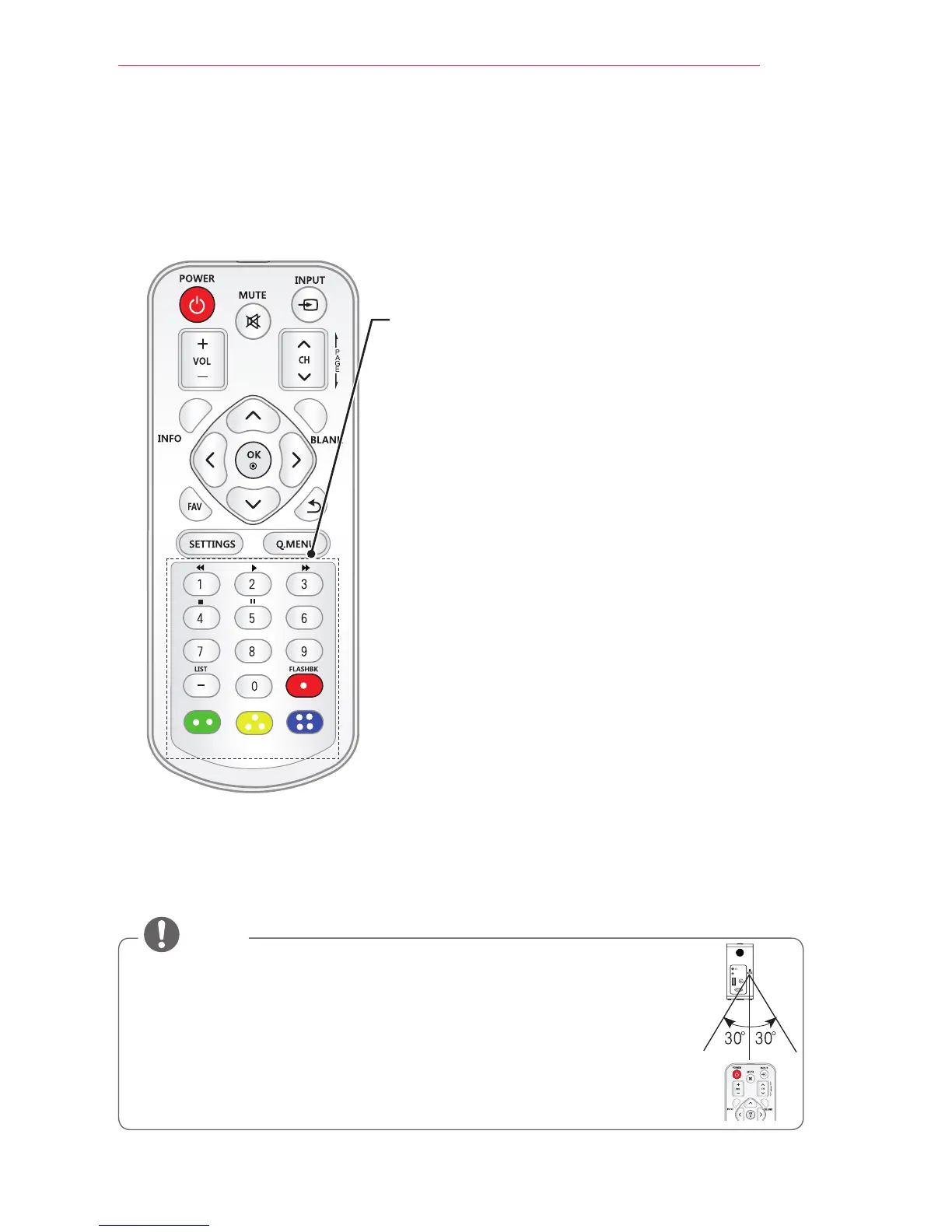
When using the remote control, the optimal remote range is less than
3 meters (9.8 feet) (left/right) and within a 30 degree arc of the IR receiver.
For seamless operation, do not block the IR receiver.
When you carry the remote control in the portable bag, make sure that the buttons
on the remote control are not pressed by the projector, cables, documents, or any
other accessories in the bag. Otherwise, it may significantly reduce the battery life.
Number buttons
Enter a number.
Playback Control Buttons
Controls playback of USB mode.
LIST
Accesses the saved channel list.
- (Dash)
Inserts a dash between numbers such as 2 - 1 and 2 - 2.
FLASHBK
Tunes to the last channel viewed.
Color buttons
Access special functions in some menus.
HDMI/DVI
RGB IN
A/V IN
ANTENNA
IN



 To Next Page