22
REMOTE CONTROL
REMOTE CONTROL
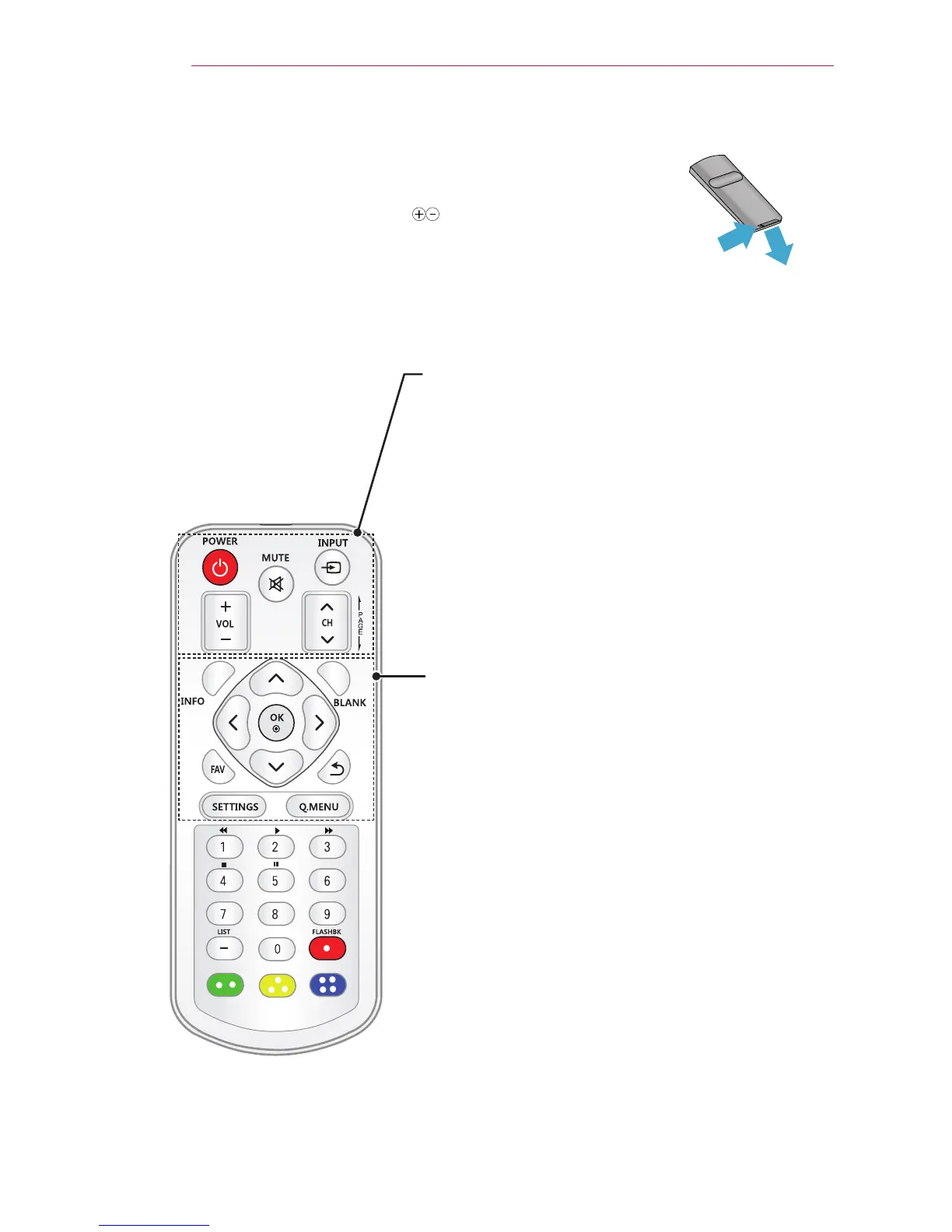
Open the battery cover on the back of the remote control and insert the
specified batteries as per instructions . The same type of batteries must
be used.
POWER
Turns the projector on or off.
INPUT
Changes the input source.
MUTE
Mutes all sounds.
VOL +, -
Adjusts the volume level.
CH
Changes the channel or page.
PAGE
Moves to the previous/next page.
INFO
Views the information of the current program and screen.
BLANK
Turns the projector screen on or off.
Up/Down/Left/Right Buttons
Sets the function or moves the cursor.
OK
Checks present mode and saves function changes.
FAV
Accesses your favorite channel.
ꕣ
Returns to the previous level.
SETTINGS
Selects or closes menus.
Q.MENU
Accesses the quick menu.



 To Next Page