25
USING THE PROJECTOR
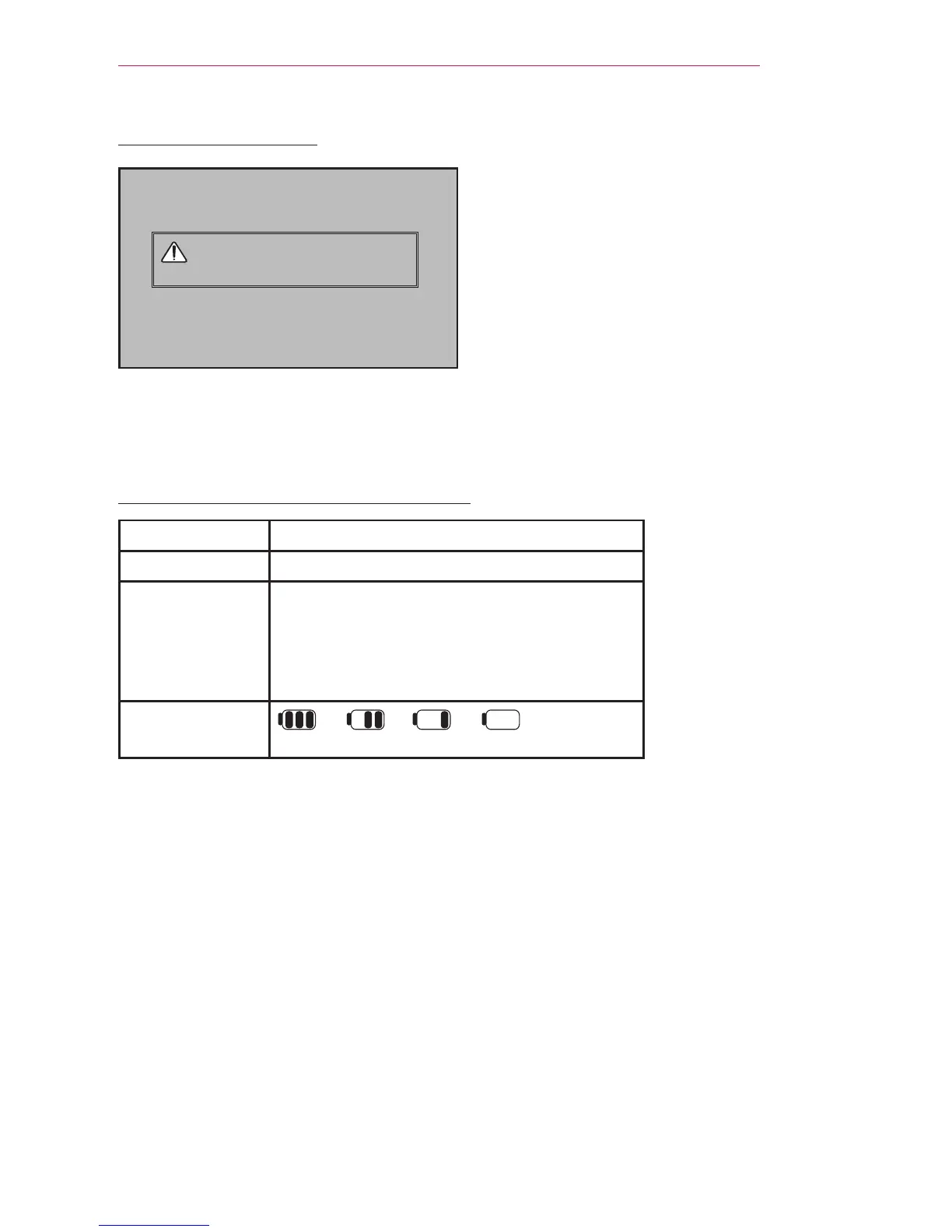
Using the battery
Low battery! The projector will turn
off soon
* It is displayed when the battery is running out.
* As your bettery is low, Projector will be turned off in a minute.
Battery using time information
Status Time and Display
Charging About 3 hours
Usage Hours About 2 hour
(Available battery using time About 2 hour when
Energy Saving mode set to Max.
Changing the Energy Saving mode default values
will reduce battery life.)
Battery Level
Indicator
* If you do not use the projector for long periods of time, remove the battery from the
projector and store it separately.
It is recommended to charge the battery to 40 - 50 percent for long-term storage.
* The battery is automatically recharged when the projector is connected to a power
supply.
* Charge the battery fully when you first use the Projector.
* The battery standard usage time given in the manual is based on measurements
taken by LG; the actual time may vary depending on usage.
* Battery usage time may vary depending on broadcast type, operating temperature,
period of use, and user preferences.
* As the battery is consumable, its lifetime gradually decreases. When the battery’s
life is reduced by half, replace it with a new battery from an LG Electronics customer
center.
* In battery mode, Energy Saving is set to maximum.
* Do not charge the battery using any equipment other than that supplied with the
product. This may damage the battery or cause a fire.



 To Next Page