EasyManua.ls Logo

Lightware DVI-HDCP-TPS-TX210 - Framedetector; No Sync Screen (Test Pattern)

Lightware DVI-HDCP-TPS-TX210
159 pages
Print Icon
To Next Page IconTo Next Page
To Previous Page IconTo Previous Page
Loading...
  

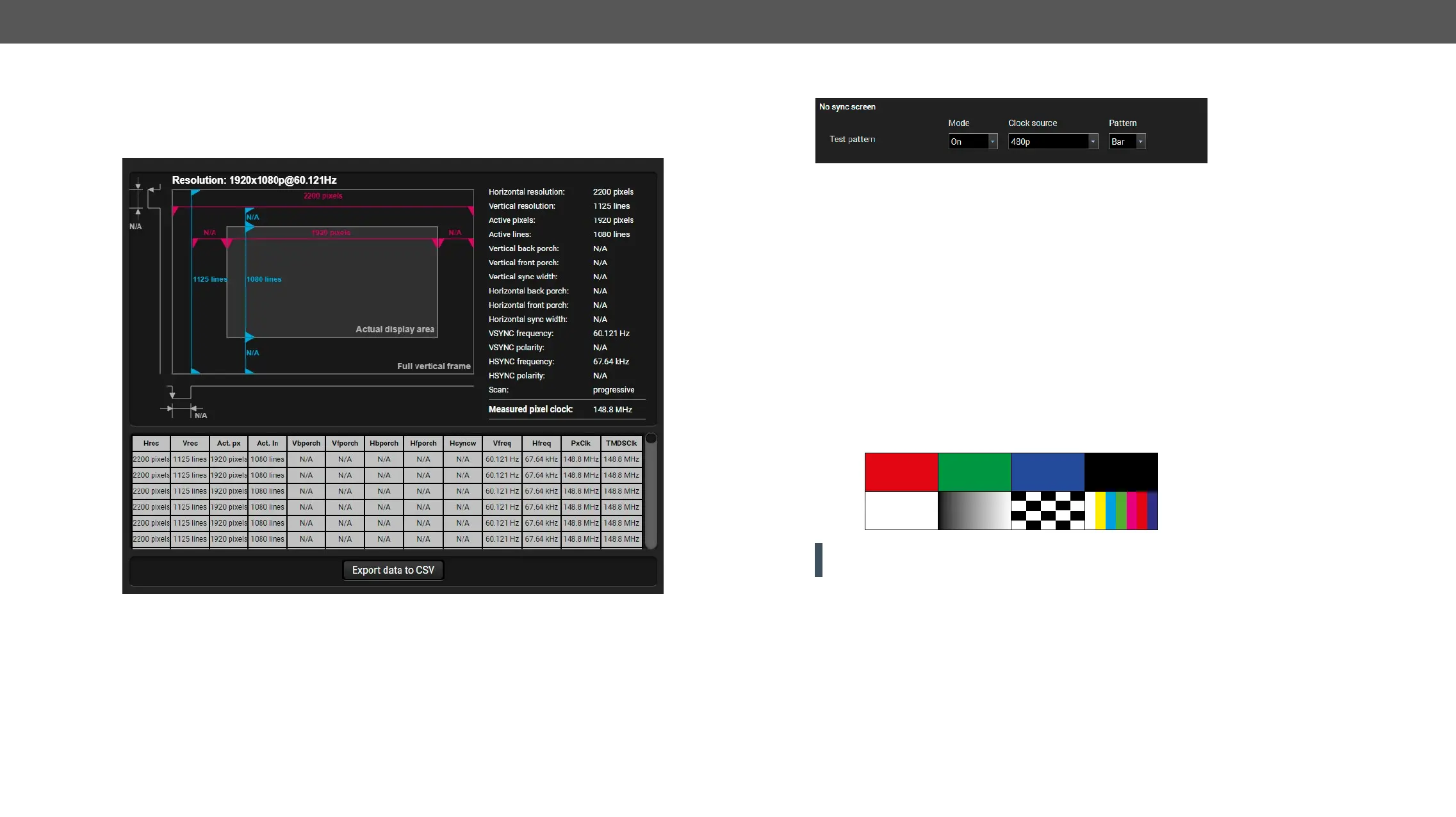
Frame Detector
    

function, open the port properties window and click on Frame detector button. #framedetector
Frame detector window


may differ from the expected and this may cause some displays to drop the picture.
     



No Sync Screen (Test Pattern)
No sync screen options in the port properties window of TPS output


Mode
▪ On
▪ No signal
input port.
▪ Off                
selected input port.
Clock Source
▪ 
▪ 
▪ 
Pattern
▪ 
ATTENTION! However the mode of the Test pattern can be set at each port separately, the clock source



Table of Contents