EasyManua.ls Logo

Lightware UMX-TPS-TX140 - Configuration Cloning and Built-in Miniweb

Lightware UMX-TPS-TX140
183 pages
Print Icon
To Next Page IconTo Next Page
To Previous Page IconTo Previous Page
Loading...
 UMX-TPS-TX100 series – User's Manual 81





those settings to the others, thus saving time and resources.
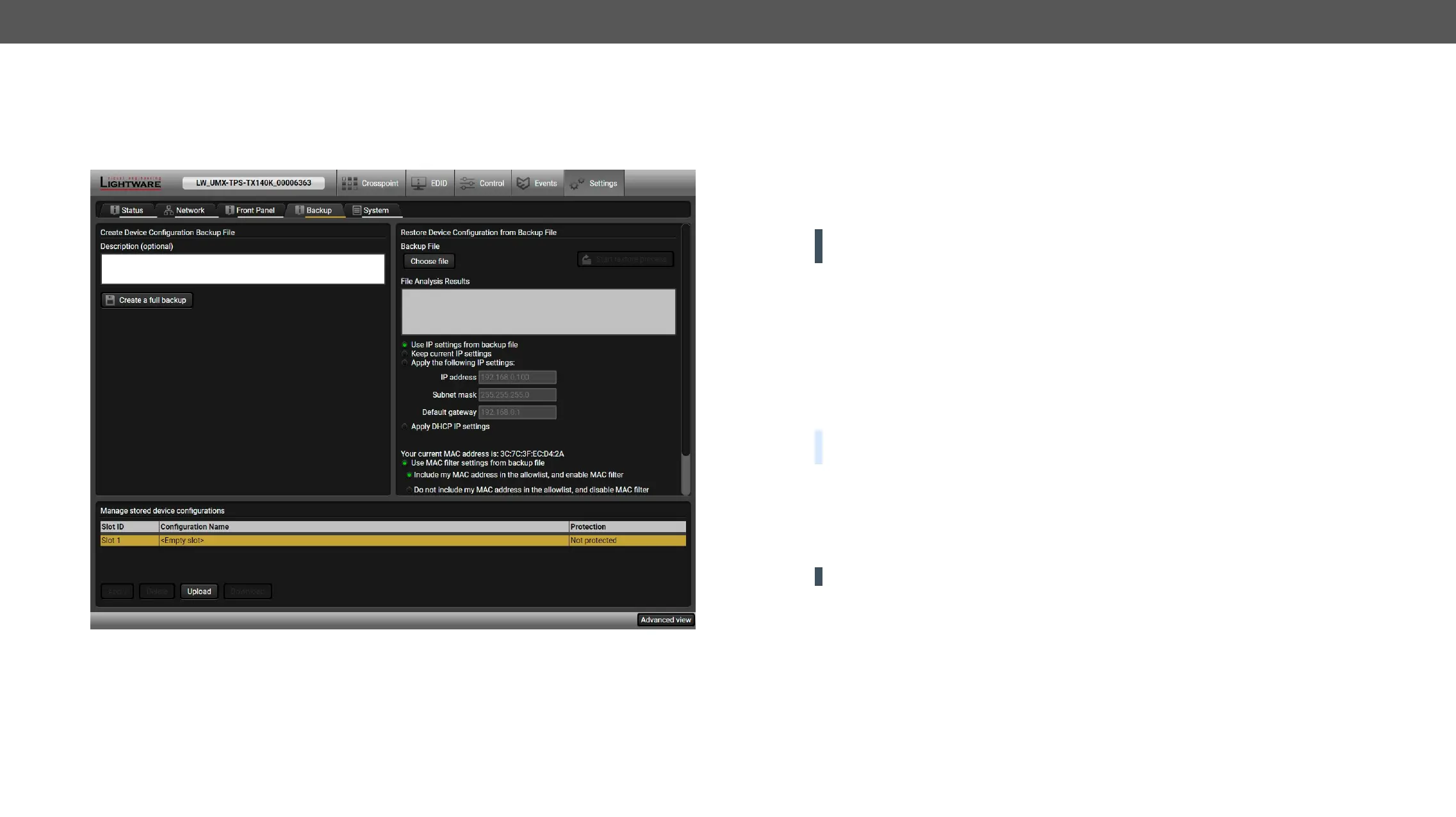
Backup tab in the Settings menu
Steps in a Nutshell

Step 1. 
Step 2. 
Step 3. 
modifying the static IP address is necessary when DHCP is not used.
Step 4. 
Step 5. 
ATTENTION! 
slot, download it separately and upload it in the target device.
Save the Settings of a Device (Backup)
Step 1. Apply the desired settings in the transmitter (port parameters, crosspoint, etc.)
Step 2. Select the SettingsBackup tab from the menu.
Step 3. description in the text box on the left (optional).
Step 4. Press the Create a full backup

BACKUP_<DEVICE TYPE>_SN<SERIAL NUMBER>.LW3
Step 5. Set the desired le name, select the folder and save
TIPS AND TRICKS: 
usage more comfortable.
About the Backup File



See the entire list of saved data in the Content of the Backup File section.
ATTENTION! Editing the command lines is only recommended for expert users.


Table of Contents