11
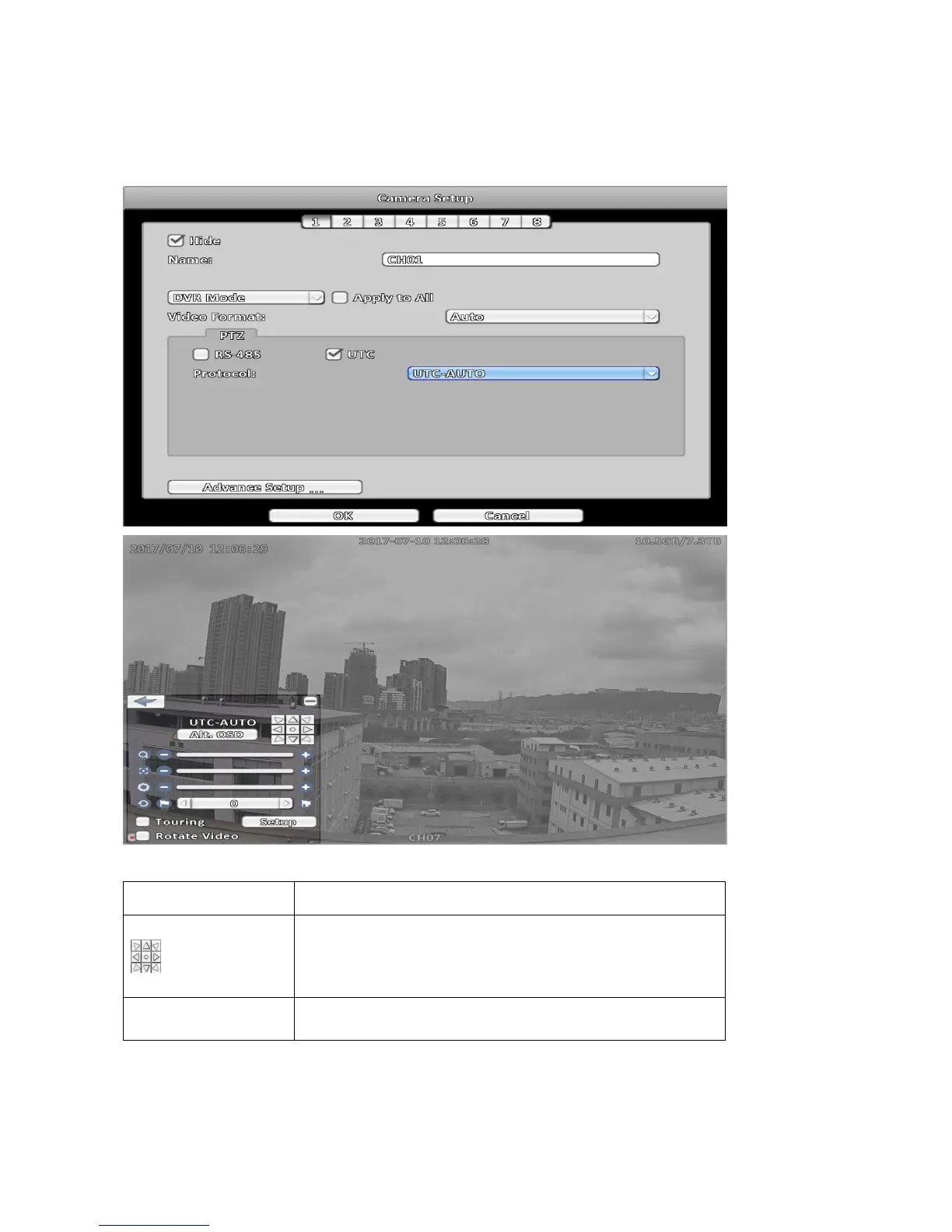
2-6-2 UTC Control
DVR supports UTC( Up The Coax ) function that can control UTC supported camera via coaxial cable
without any other equipment. Follow below steps to enable UTC control, enter Camera Setup menu,
in PTZ field chosen UTC option and Protocol select UTC-AUTO.
UTC control icon description
Item Description
Direction and enter, click at center that can turn on UTC camera
OSD function, when OSD is activated click at center that same as
Enter key and click direction key to select camera different
function.
Std.OSD/Alt.OSD
Standard OSD/Alternate OSD.Click to select appropriate protocol
to operate UTC camera.
Note:
1. If the resolution of the UTC camera is D1 or 960h, please switch the UTC protocol to
UTC-720P for further operations.



 To Next Page