44
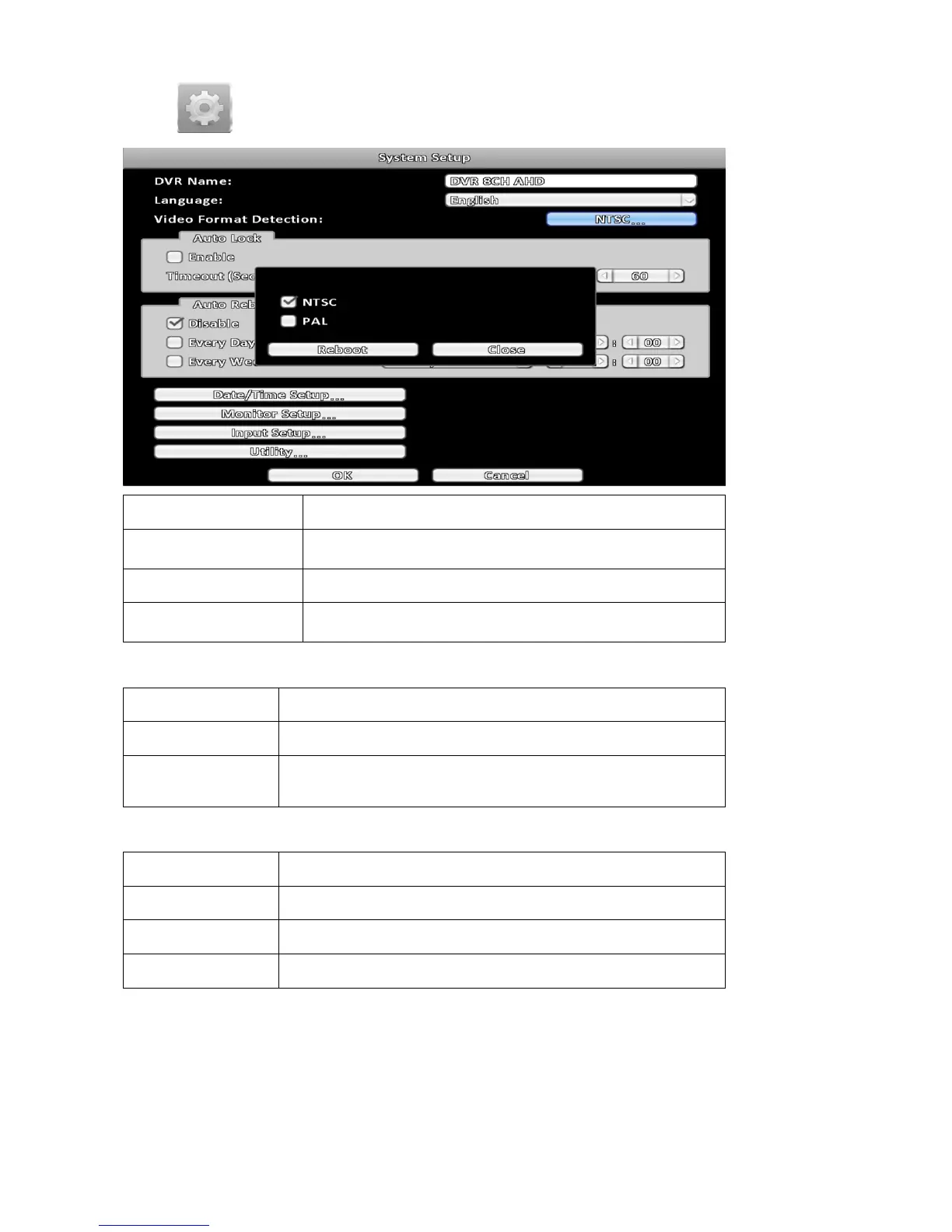
3-7 System Setup
Item Description
DVR Name
The name of DVR to be shown while users login from remote
site.
Language Specify the OSD language.
Video Format Detection
Specify the format of video signal ( NTSC, PAL). The
configuration requires a reboot to take effect.
3-7-1 Auto Lock
Item Description
Enable Enable / Disable Auto Lock.
Timeout(Seconds)
Set the number of seconds to wait. It there is no action, the panel
will be automatically locked.
3-7-2 Auto Reboot
Item Description
Disable Enable / Disable Auto Reboot.
Every day Setup the time of daily auto-reboot.
Every Week Setup the time of weekly auto-reboot.



 To Next Page