49
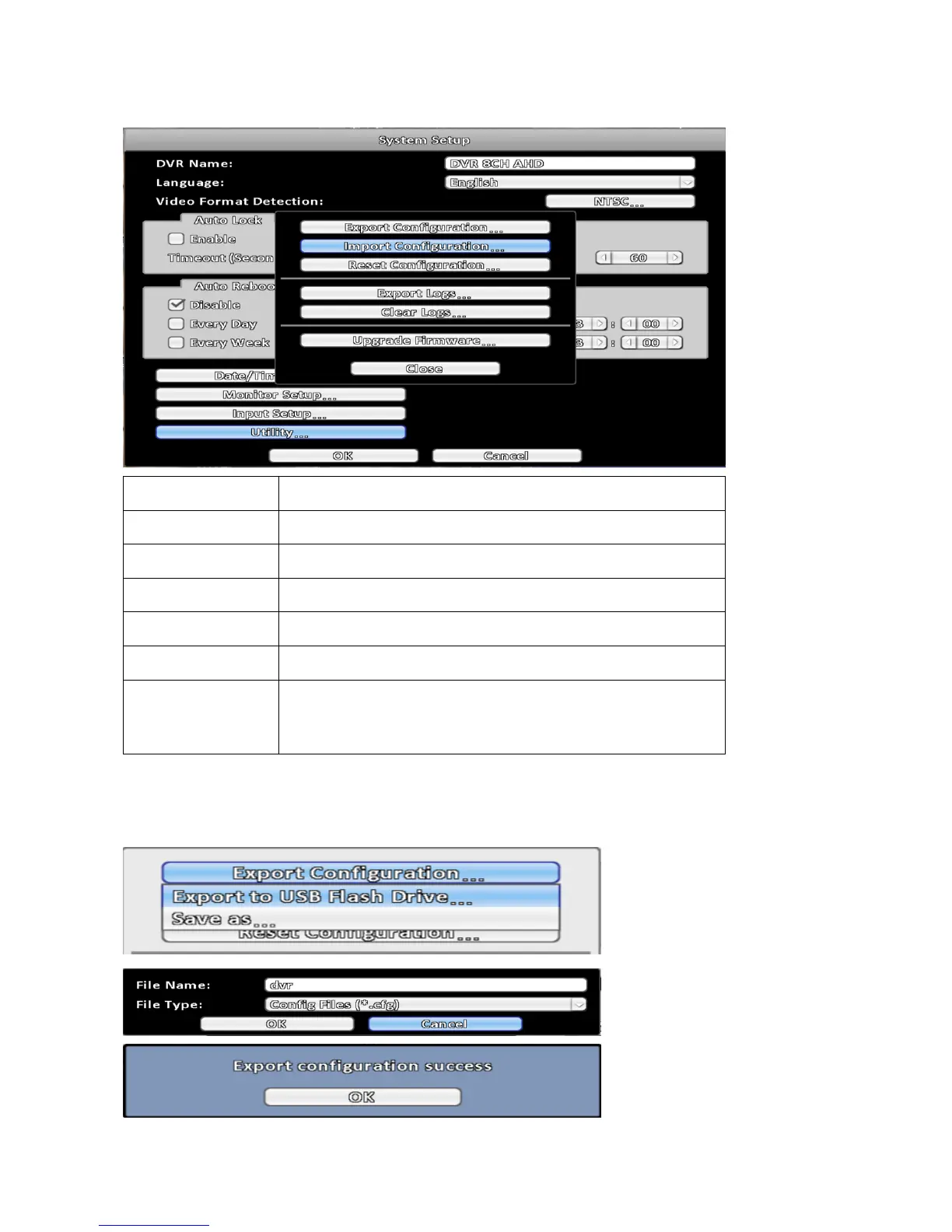
3-7-6 Utility Setup
Item Description
Export Configuration Export DVR configuration to a USB flash drive or a remote PC.
Import Configuration Import configuration from a USB flash drive or a remote PC to DVR.
Reset Configuration Reset system configuration.
Export Logs Save DVR system log to a USB flash drive or a remote PC.
Clear Logs Clear all DVR system log.
Upgrade Firmware
Upgrade DVR firmware through a USB drive, please stop recording
and backup DVR configuration before upgrading, System will
reboot automatically when the upgrade is done.
3-7-6-1 Export Configuration
There are two way to export DVR configuration.
First, export to a USB flash storage at local, the export default filename is DVR.cfg.



 To Next Page