42
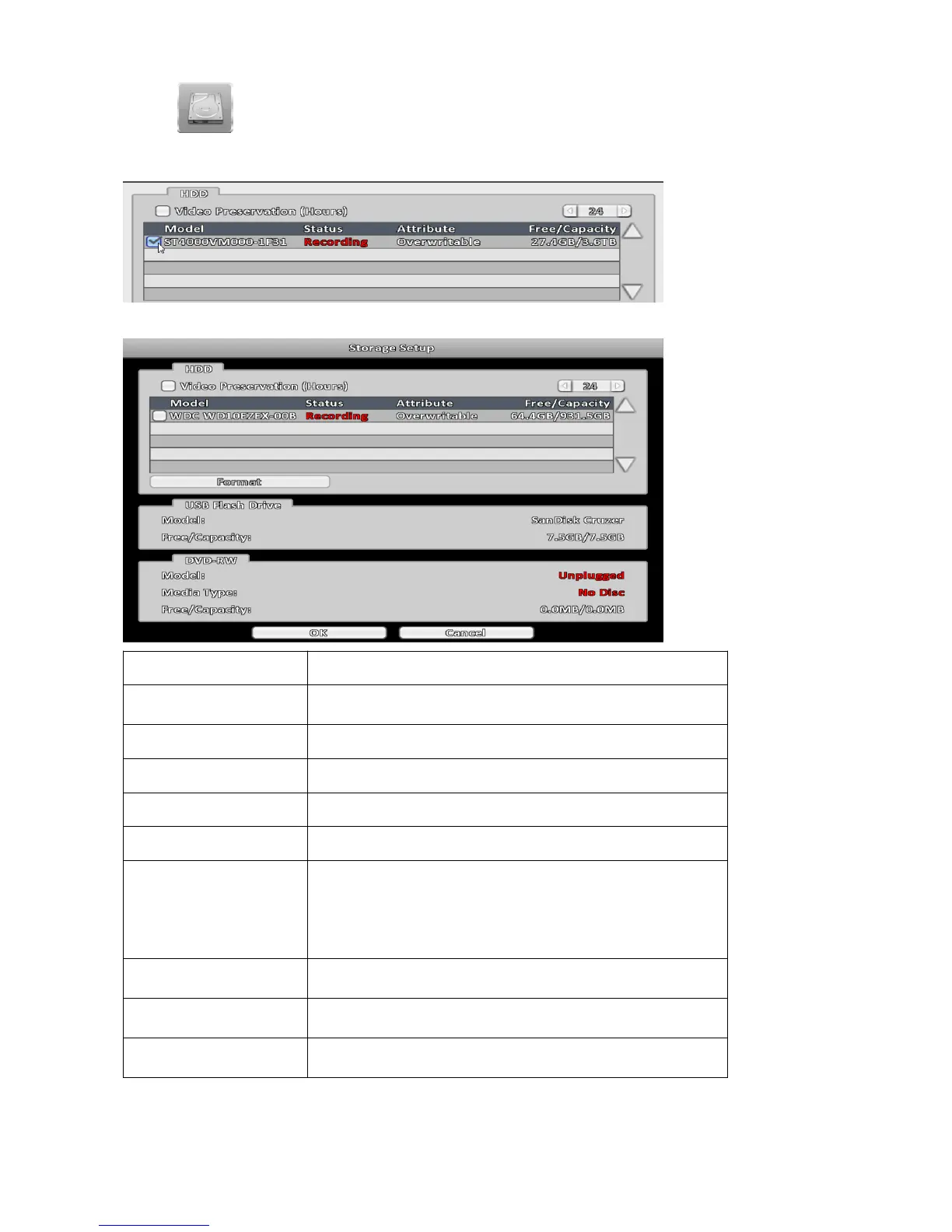
3-6 Storage Setup
3-6-1 HDD Setup
Note: Click the status bar to change the attributes of the hard disk
Item Description
Video Preservation
Setup the video preservation period. Recorded video will be
deleted automatically after expiry of preservation period.
Model Display HDD model.
Status Display HDD status (Recording/Error).
Attribute Display HDD Attribute ( Over writable/Writable/Read-Only).
Free/Capacity Display HDD capacity (Free/Capacity ).
Format
Check the hard disk drive and press "Format", there are four
options to set the HDD.
Start Format HDD DVR. Status bar "successful" HDD
initialization! Enter the menu, there will be all of the hard disk
information (model, capacity).
Over writable
Set the hard disk to be replicated state will start to overwrite
the hard disk is full.
Writable
Set the hard disk as writable state, after the hard disk is full
stop writing.
Read Only
Set the hard disk is read-only, read-only cannot be written to
the hard disk.



 To Next Page