75
Appendix 3 AHD Camera Resolution
Appendix 3-1 Switch Resolution From 1080p to 720p
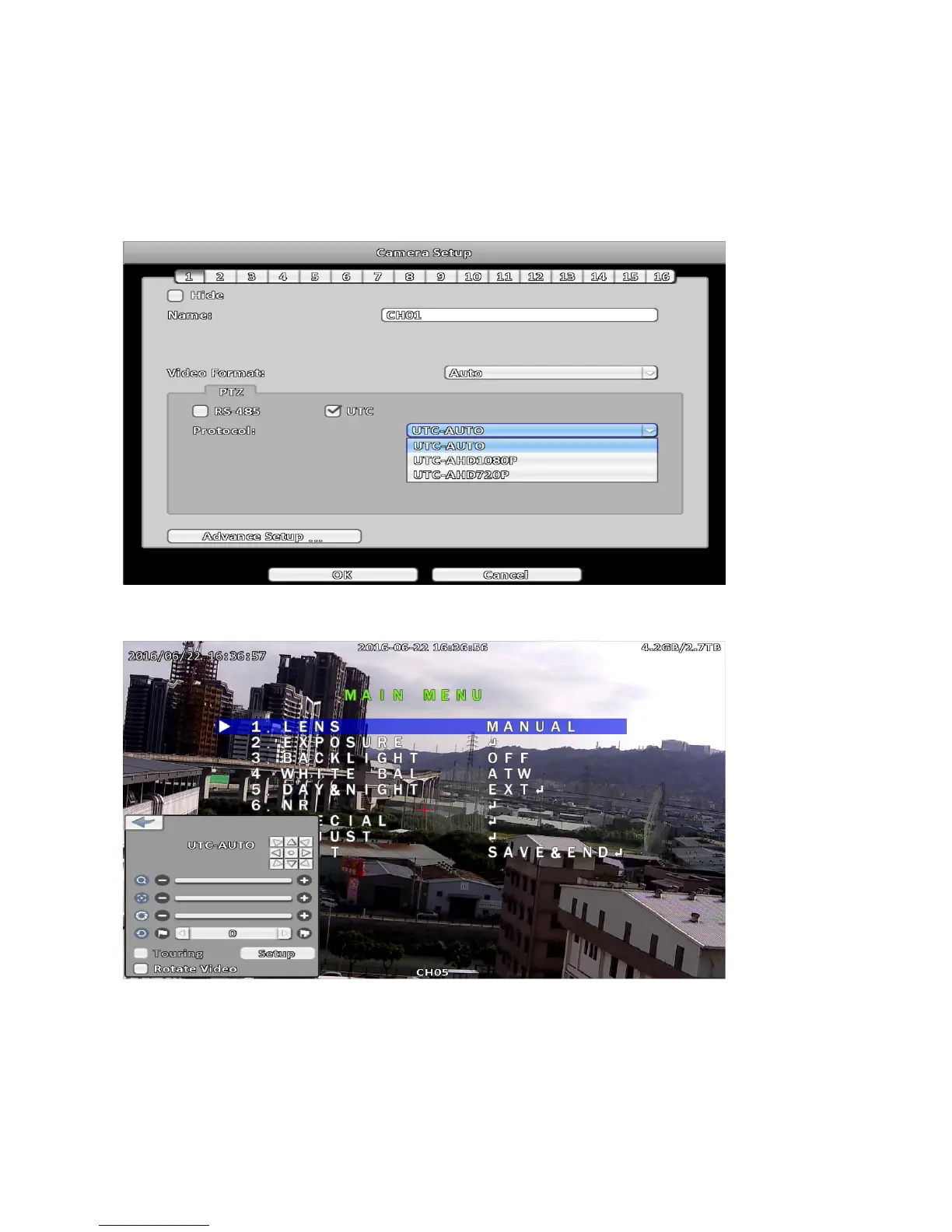
Step 1:
Turn on UTC control, in Camera setup menu, PTZ select UTC, Protocol select UTC-AUTO or
UTC1080p, enter PTZ Operation menu, using the directional keys to control the camera.
Step 2:
Click the center of the directional keys, turn on OSD of camera( refer to Chapter PTZ Operation ).



 To Next Page