20
3-1-2 Schedule Record
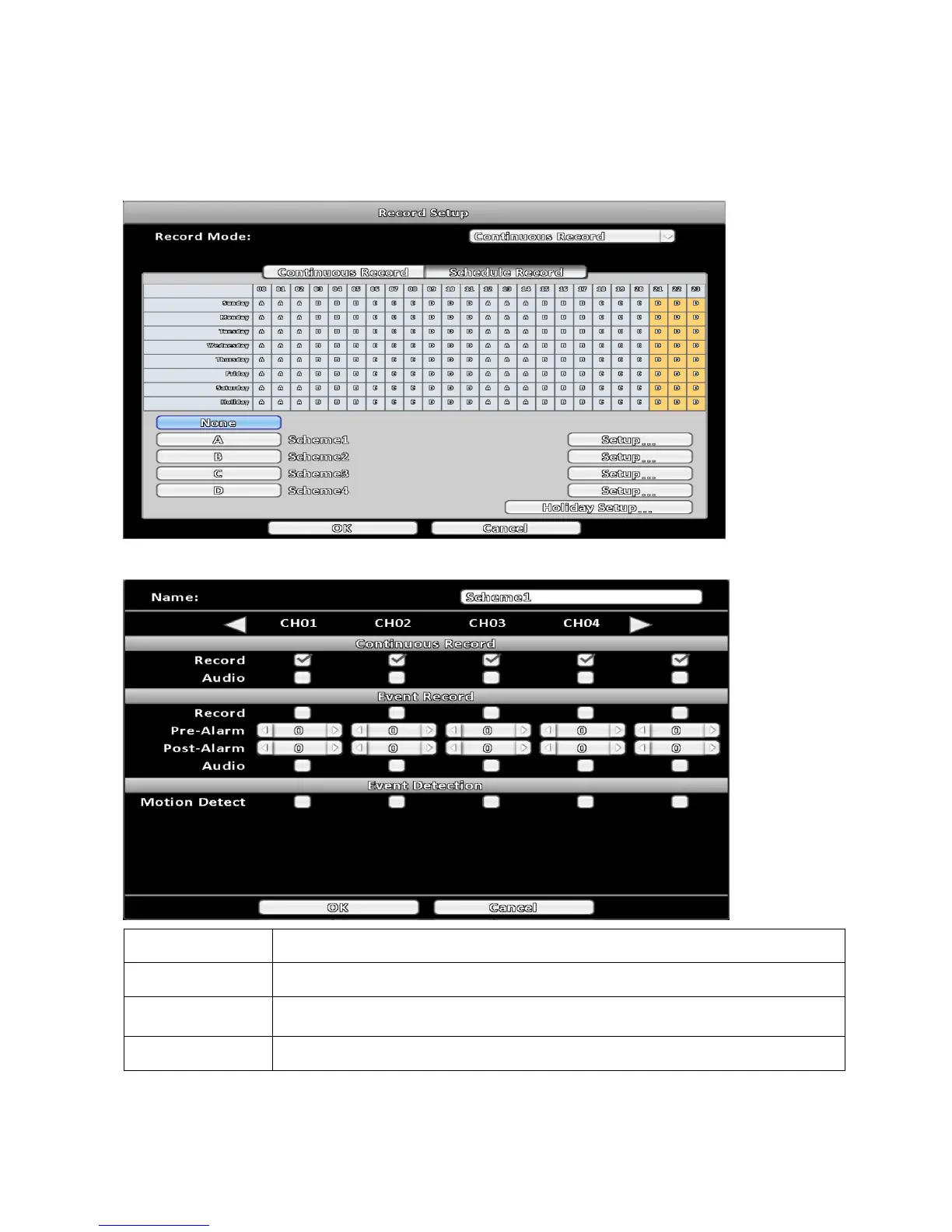
Recordings can be scheduled to days and time of a week. With the A, B, C, D four settings, users can set
different recording scheme according to different needs. In the day and time grid map, select the schedule
table, then press one of the A, B, C, D buttons to specify the settings.
3-1-2-1 Scheme Configuration
Item Description
Continuous Record Always recording.
Event Record
Start recording when event detected, adjust recording period that before and
after event occur.
Event Detection Chosen required condition to perform event detection.



 To Next Page