27
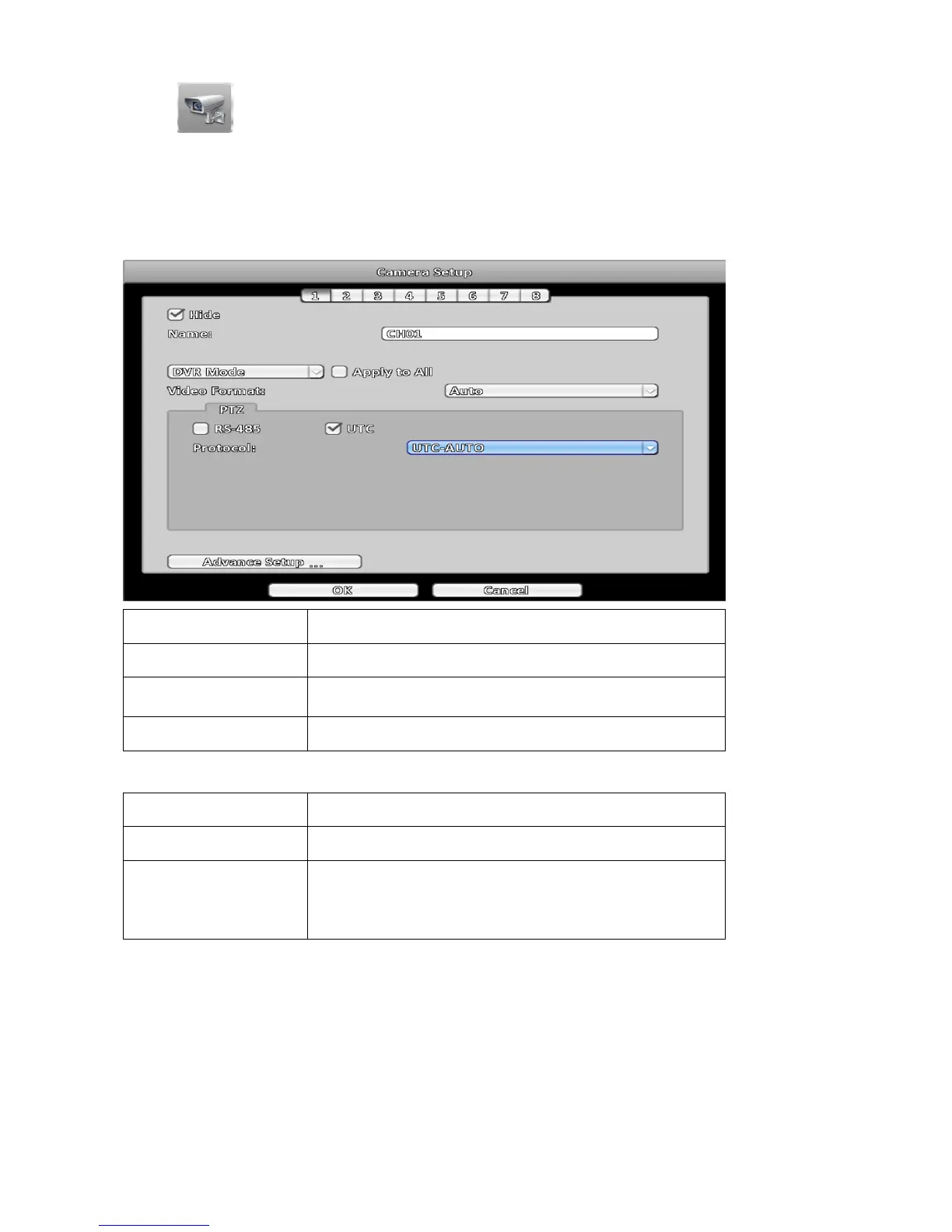
3-3 Camera Setup
Hybrid DVR series can select DVR mode or IP Mode for each channel input. Standard DVR series
only DVR Mode.
3-3-1 DVR Mode
Analog or simulate HD camera as channel input.
Item Description
Name Change the name of the camera.
Video Format
AUTO: Automatically detect input source.
AHD: Only detect AHD input source.
Hide Disable the video function of the selected channel.
3-3-1-1 PTZ
Item Description
RS-485 Checked, selected channel using RS-485 control PTZ.
UTC
Checked, using UTC control the selected channel.
UTC-AUTO: Automatically detect input source.
UTC-1080p: Detect AHD 1080p and AHD 4Mp input source.
UTC-720p: Detect AHD 720p and Analog input source.



 To Next Page