56
Chapter 4: Remote Software
The DVR allows users remotely access and control the DVR from a computer by Netviewer or IE v6.0 or
above.
Note: Netviewer supports Windows XP SP2, Windows Vista, Windows 7, Windows 8, and Windows 10.
4-1 Application Software
Step 1:
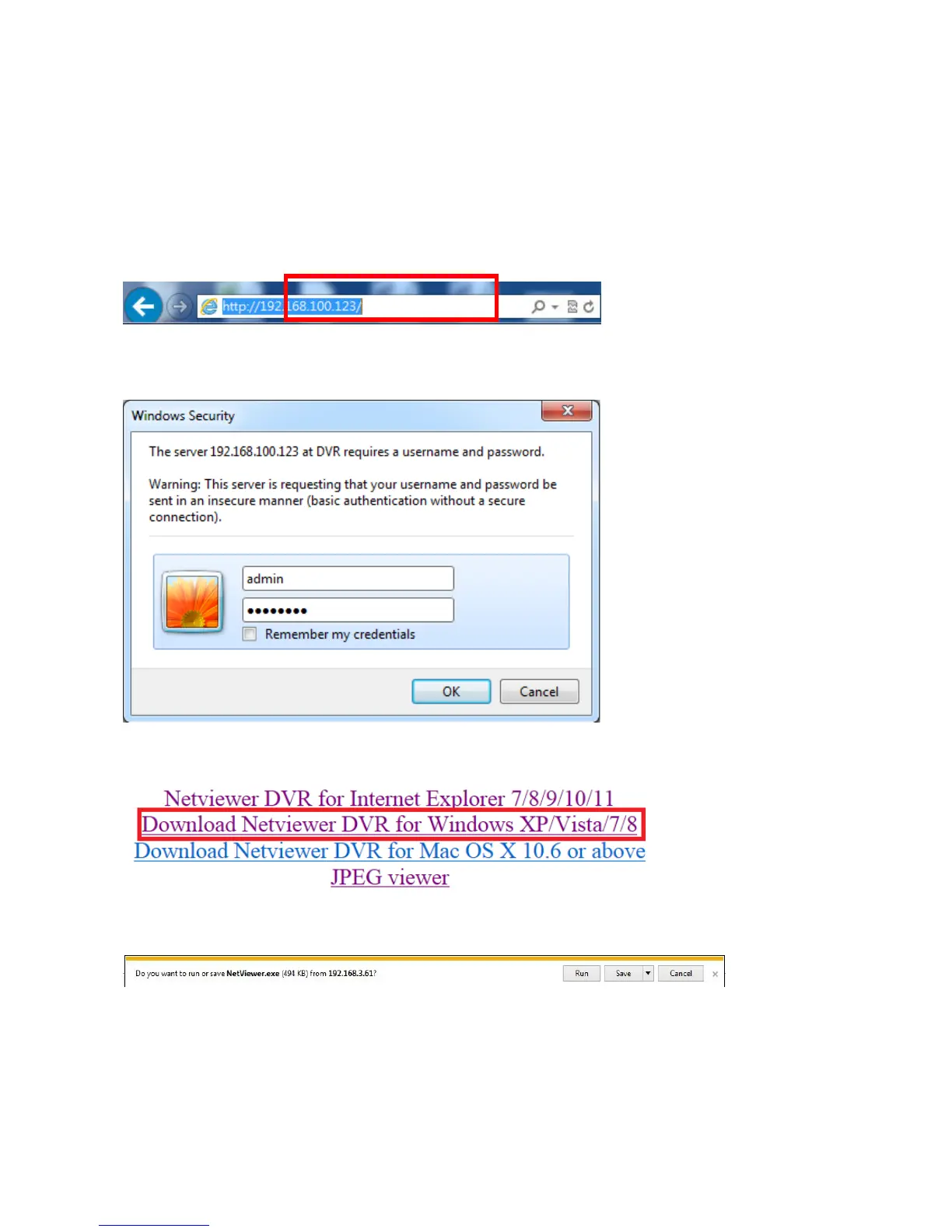
Type the IP address of DVR in IE browser.
Step 2:
Windows as below will show up. Please type the user name and password. Default user name and Password
is admin and 1111. Other related setup about user account and password, please refer to Account Setup.
Step 3:
Click the link NetViewer for Windows XP/Vista/7/8 to download software.
Step 4:
Run the program directly, or save the program to the PC then execute.



 To Next Page