Operation 4
Standard equipment
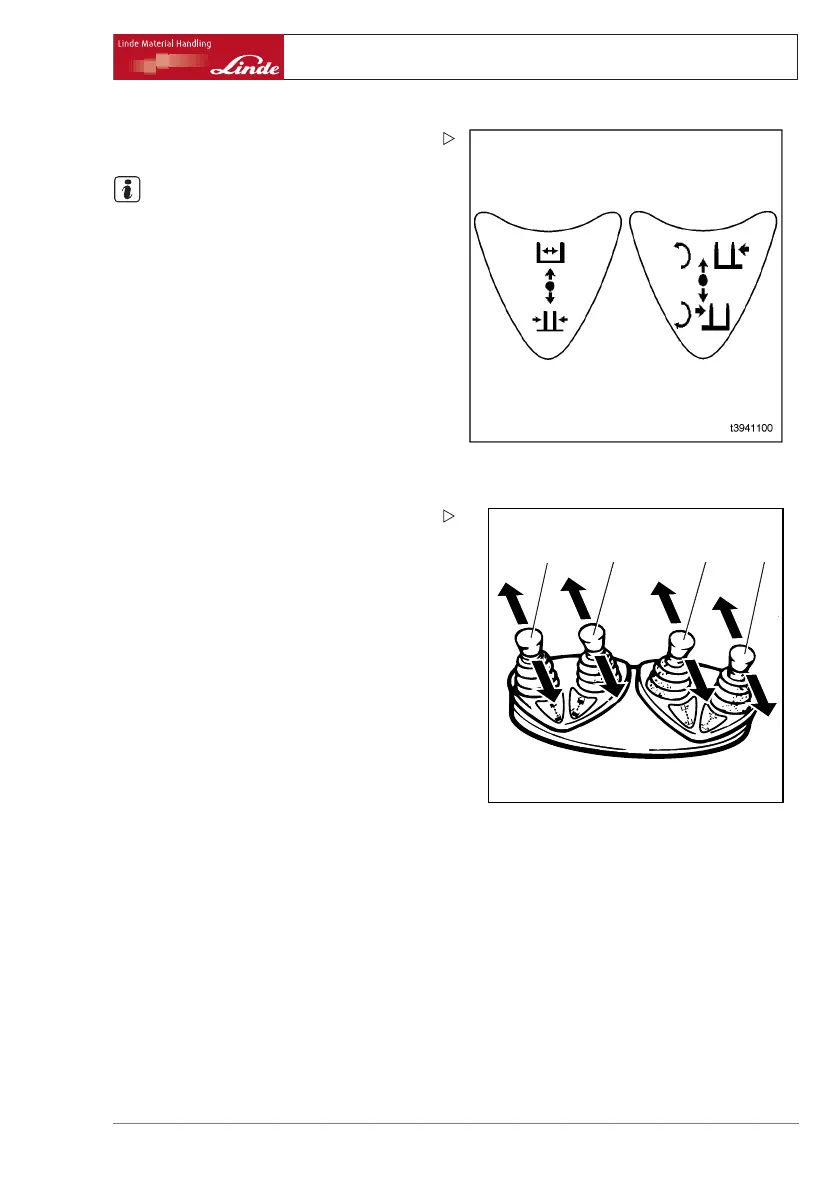
¾ Take note of the switching symbols with
arrows.
NOTE
For every attachment a plate stat
ing the load
capacity of the forklift truck wi
th attachment
must be affixed above the switc
h console on
the top right in the driver’s pr
otective roof and
a symbol label for the relevant
attachment
behind the operating lever and
on the left and
right next to the toggle switch
(4) .
Operate fork adjustment
1
2 3 4
e3861348
¾ Move operating lever (1) forwards.
Fork arms move outwards.
¾ Pull back operating lever (1).
Fork arms move inwards.
Operate rotating unit
¾ Press left side (2) of toggle switch (3).
Green switch illumination lit up.
¾ Move operating lever (5) forwards.
Unit moves anticlockwise.
¾ Pull back operating lever (5).
Unit moves clockwise.
Operate sideshift
¾ Press right side (4) of toggle switch (3).
Orange switch illumination lit up.
¾ Move operating lever (5) forwards.
Sideshift moves to the left.
¾ Pull back operating lever (5).
Sideshift moves to the right.
Operating Instructions – 386 807 1001 EN – 03/2006 49



 To Next Page