LITE-CHECK INSPECTOR 930
41
Lite-Check Cloud
The Lite-Check Cloud serves as a secure repository for all inspection reports submitted from the tablet. From
the cloud you can view all inspection reports, see the inspection history of the trailer, view fleet status, perform
analytics and more. To view the cloud anywhere in the world on any device with Internet access, open a
browser window and go to http://lcfleetsolutions.com. Note that our cloud server was designed for Google
Chrome and some features will not work correctly in other browsers.
Viewing and Finding Reports
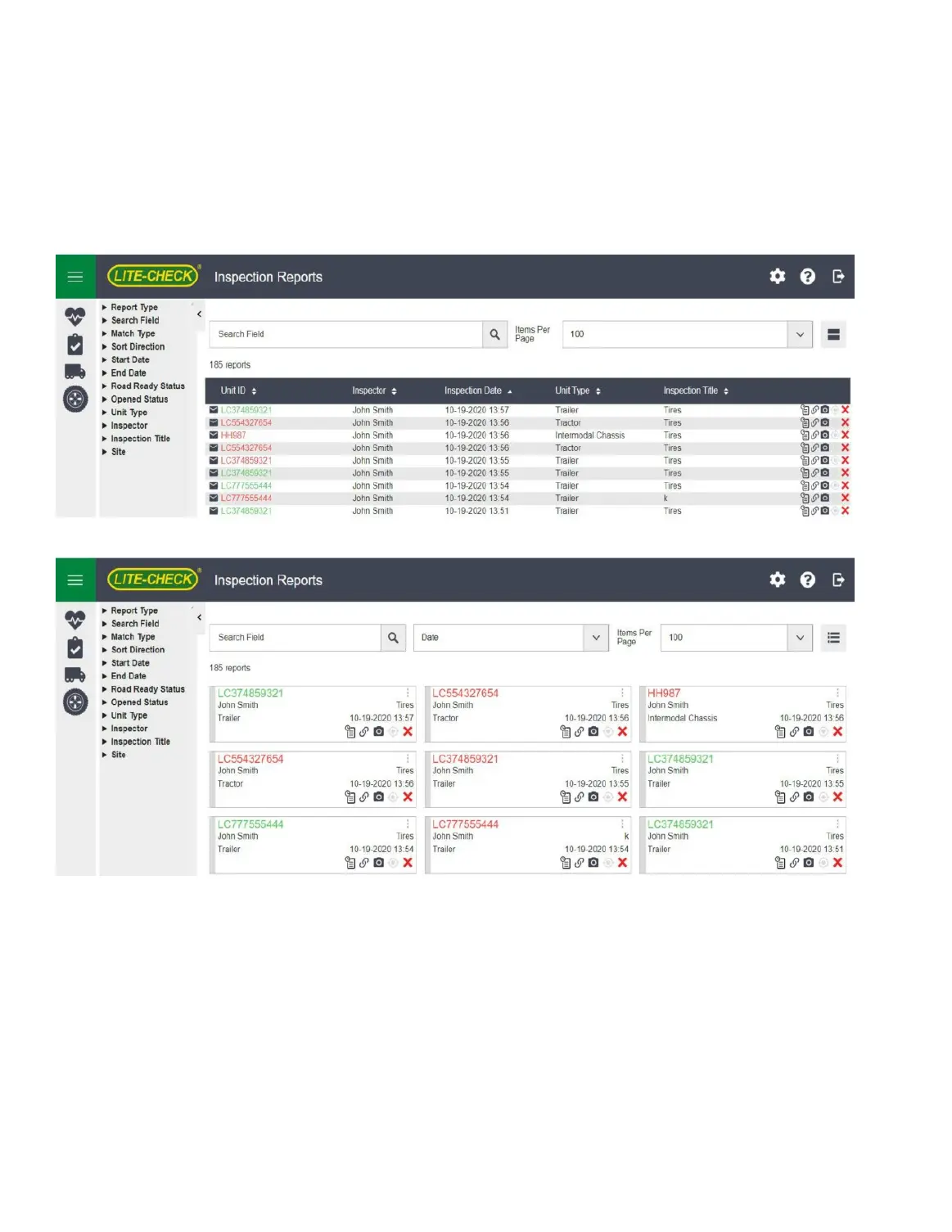
There are two ways to view the cloud; list or card view. Each report is labeled by the trailer ID. Click it to
open the report. To view the next page, click the page number at the bottom of the report type column.
Reports can be sorted by trailer ID, date, or inspector’s name using the control above the report columns.
Additional options can be seen by hovering the cursor over the menu (three vertical dots).
Deleting Reports
To delete a report click the delete option in the menu on the report card. This will redirect you to a page to
confirm your intention to delete the report. Once a report is deleted it cannot be recovered.
(NOT Included with the trailer interface. Cloud Service is sold separately. Call LITE-CHECK for Cloud pricing.)



 To Next Page