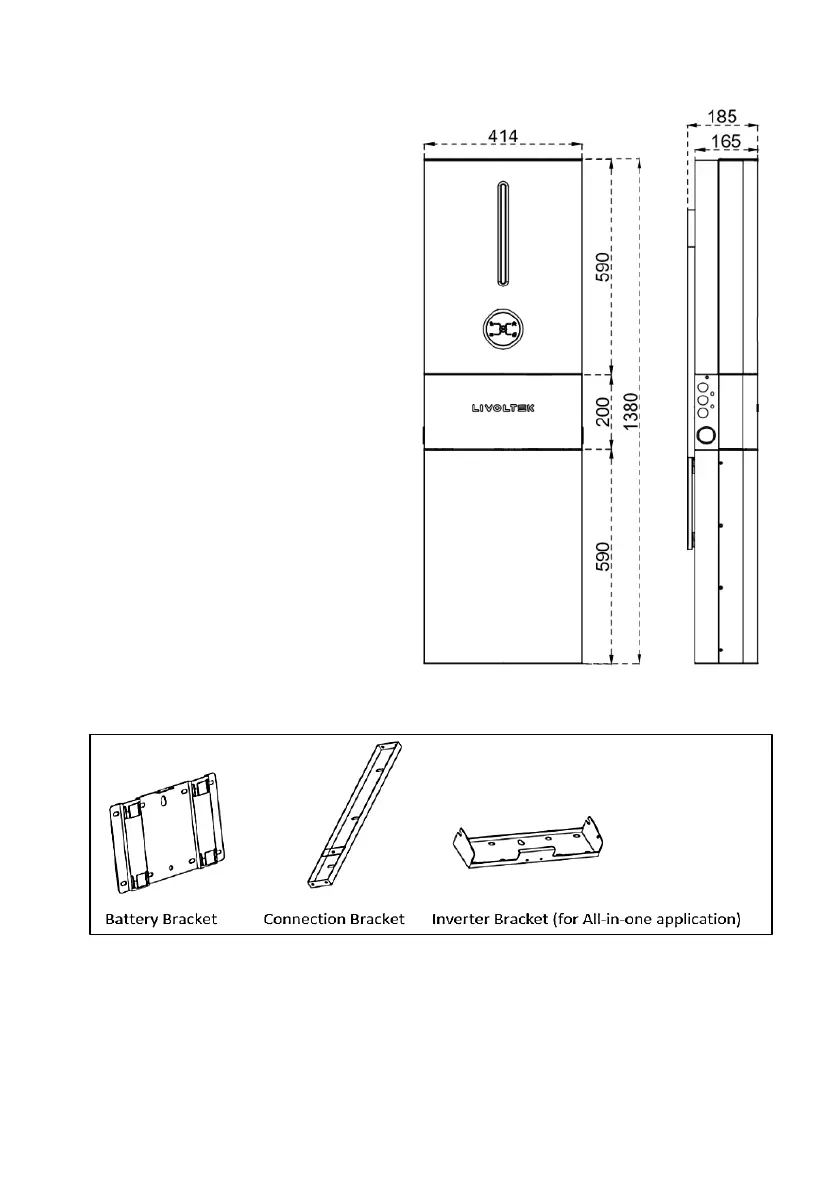
5.2.2 Installing the All-in-one System
Step1: Choose a location
• Choose an appropriate location
capable of supporting the full weight
(>90kg) and height of All-in-one
system.
• Be sure to choose a flat wall.
Step 2: Take out the Brackets
• Open the packages of battery and middle cover kit respectively, then take out the wall-
mounting brackets.
Notes: The inverter-bracket of for all-in-one application is not as same as the split one, please
leave the split bracket and expansion bolts in the inverter’s package when you want to install the
all-in-one system).




 To Next Page