Reference 55-85
User manual
30
Initial installation
continued on the next page
p
Setting options for all types of reception:
Select desired languages and alternative
languages for subtitles and audio for DVB
programmes.
Set up audio commentary for the visually
impaired.
OK Confirm selection.
Proceed to next step.
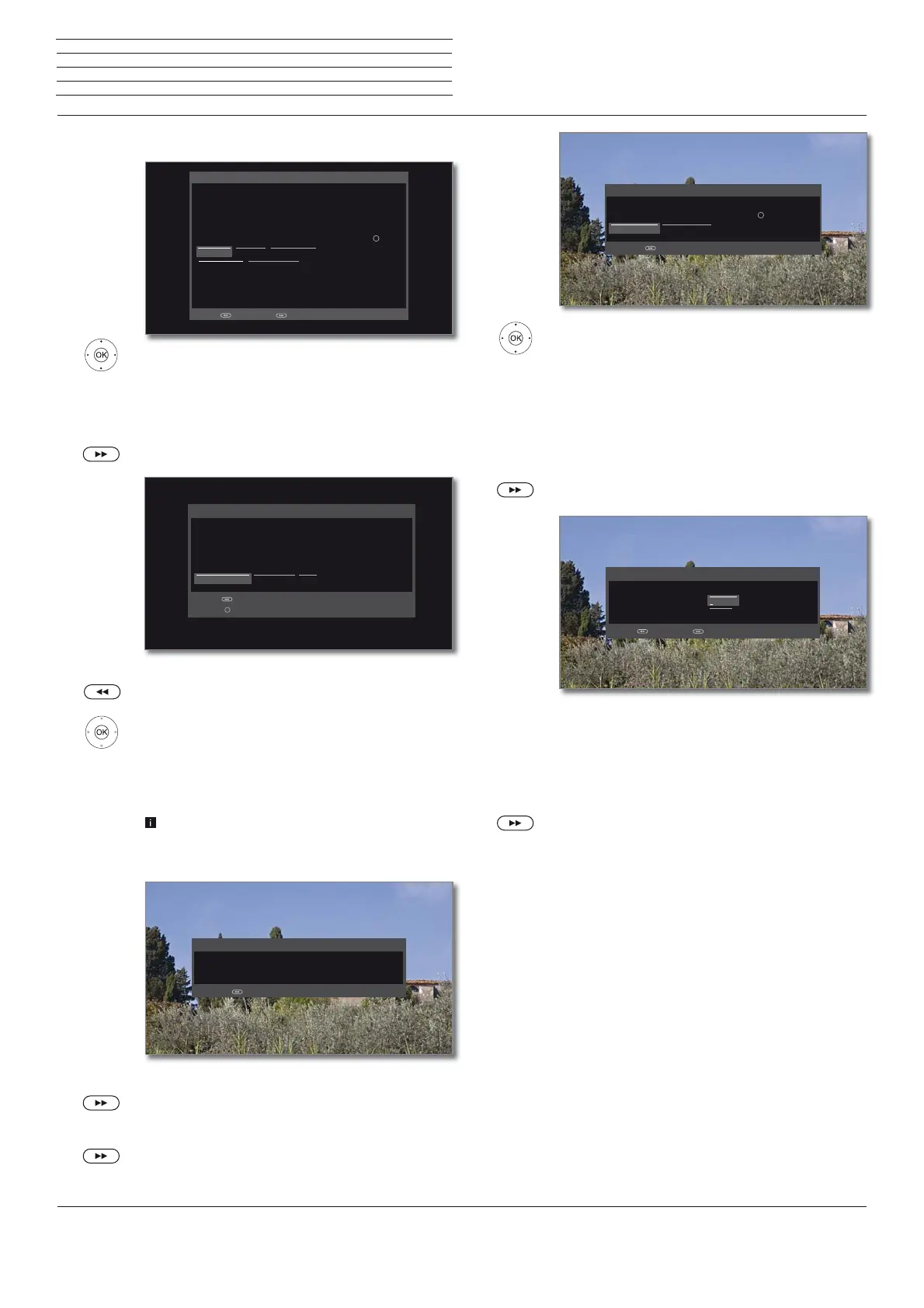
You will see a list of the selected settings. You can go
back step by step with the key to make any changes
to the settings.
OK Start automatic search.
Now, the TV set searches for TV and radio stations.
It searches successively for stations from the selected
signal sources. The progress of search is shown by a
progress bar.
In case of a repeated initial installation routine (via
Home view under System settings
p
Extras)
all stored stations will be first deleted here.
The number of found TV stations is displayed.
Proceed to next step.
The number of found radio stations is displayed.
Proceed to next step.
You can preset the desired languages and reserve languages for subtitles and audio for
DVB programmes here.
You may preset whether you would always like to hear a special tone for visually-impaired
persons (if provided by the station), which describes the operation in more detail, with the
aid of an audio commentary. In "System Settings -> Sound," you can set its volume in
relation to the "normal" volume by means of the "Audio commentary volume."
Note: The newly selected parameter in each case must be confirmed with the button.
Subtitle and audio languages (DVB)
Subtitle (DVB) Audio (DVB) Audio commentary
Favoured language Alternative language
OK
Back with Proceed with
German Italian Czech Hungarian S
Englisch Spanish Greek Finnish T
French Dutch Polish Slovenian S
Subtitle and
audio
languages
(DVB only)
Your TV performs the following automatic search with the listed settings. If you wish to
correct them, please scroll back.
Check search settings
Start automatic search Antenne Wizard Cancel
Back with
Adopt with
Location of TV set (UK) United Kingdom
Signal source(s) Cable analogue, DVB-T, DVB-C, DVB-S
Satellite system Single satellite
Satellite(s) ASTRA1 19,2°E
OK
Check
search
settings
The automatic station search and sort have been stopped.
1164 new TV station(s) has (have) been found.
Result TV
Proceed with
Info
station search
.
Select Age-related lock.
OK Confirm selection.
You can specify an age limit for your TV set here.
DVB broadcasts which have an appropriate age
identification are locked and can only be watched
after entering the access code.
In some countries, the yes/no option does not
exist for some channels, and a compulsory age
check must be entered.
Proceed to next step.
The data capture for time and date is set to automatic
ex factory.
If time and date are automatically obtained via the
receive path, no entry is necessary.
For more information, see the chapter System
settings, section Control – Time and Date.
Proceed to next step.
If you enter an age restriction here, all DVB programmers are locked which have an
appropriate age code and can only be watched by entering the access code.
Note: The newly selected parameter must be confirmed with the button.
Age-related lock
Proceed with
No age-related lock Special security level
OK
Age-related
lock
Please enter the date and time if none has been entered or if they are incorrect.
Time and date
Date 14.01.2015
Time 16:30:00
Back with Proceed with
Time and
date












 To Next Page