Fieldbook) E1) User’s) Guide)
42
2.4. Connect the Fieldbook E1 to Other
Devices
2.4.1. Connecting a USB Device
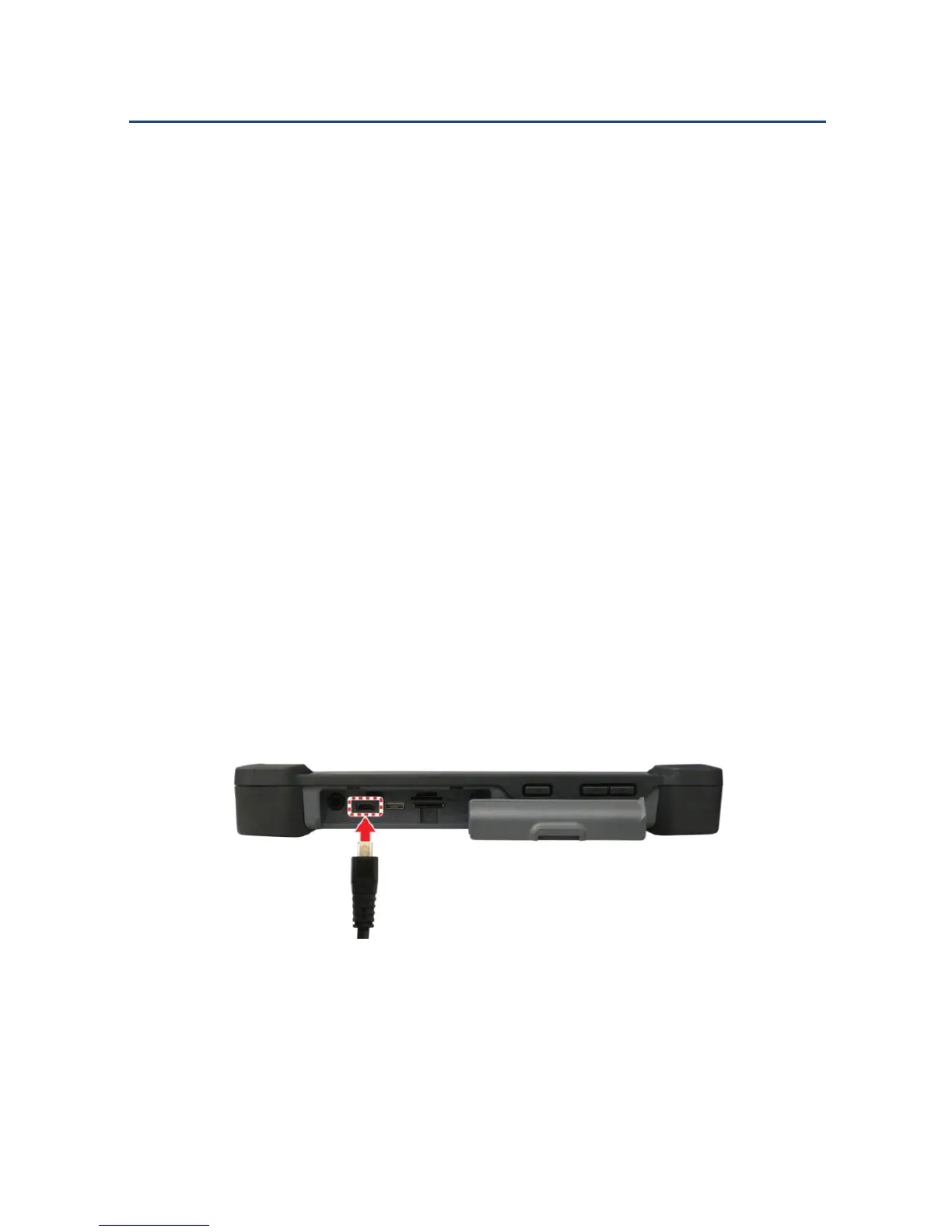
Fieldbook E1 comes with a micro USB On The Go (OTG) port, so you can
connect other USB devices to it using a micro USB cable.
NOTE: The Fieldbook E1 does not come with a micro USB cable.
To connect a micro USB device:
1. Open the I/O ports door.
2. Connect the micro USB cable to the micro USB port on the Fieldbook
E1.
3. Connect the other end of the micro USB cable to the USB device you
want to connect.
Connecting a micro USB Cable



 To Next Page