- 47 -
4.20 Enabling CSR Harmony to receive mobile calls
to enable:
1. Pair with a Bluetooth device which supports the Audio
Gateway profile.
2. Open
My Bluetooth Devices
, see
Viewing connected
Bluetooth devices.
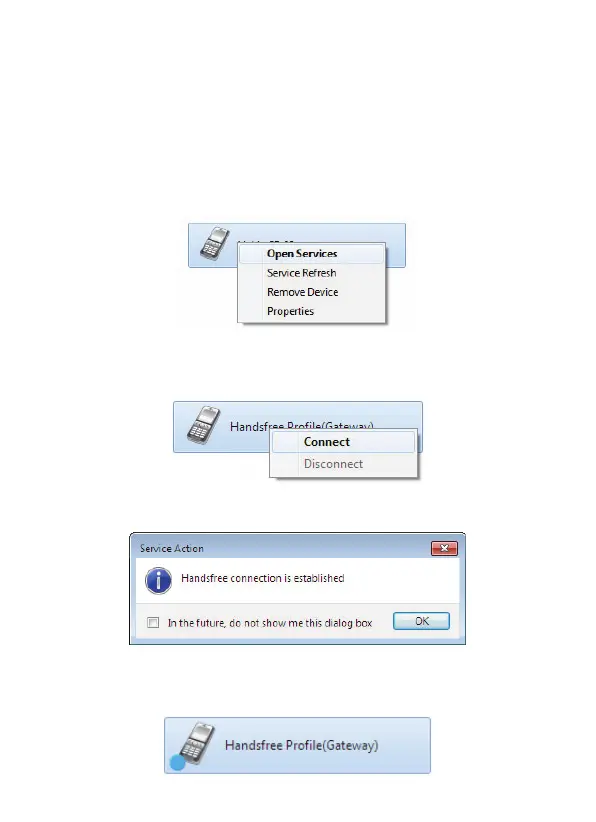
3. Right-click the device and choose
Open Services
:
4. Right-click the
Handsfree Profile (Gateway)
and choose
Connect
:
5. The Handsfree connection is established:
In My Bluetooth Devices the successful Handsfree connection
is shown as:



 To Next Page