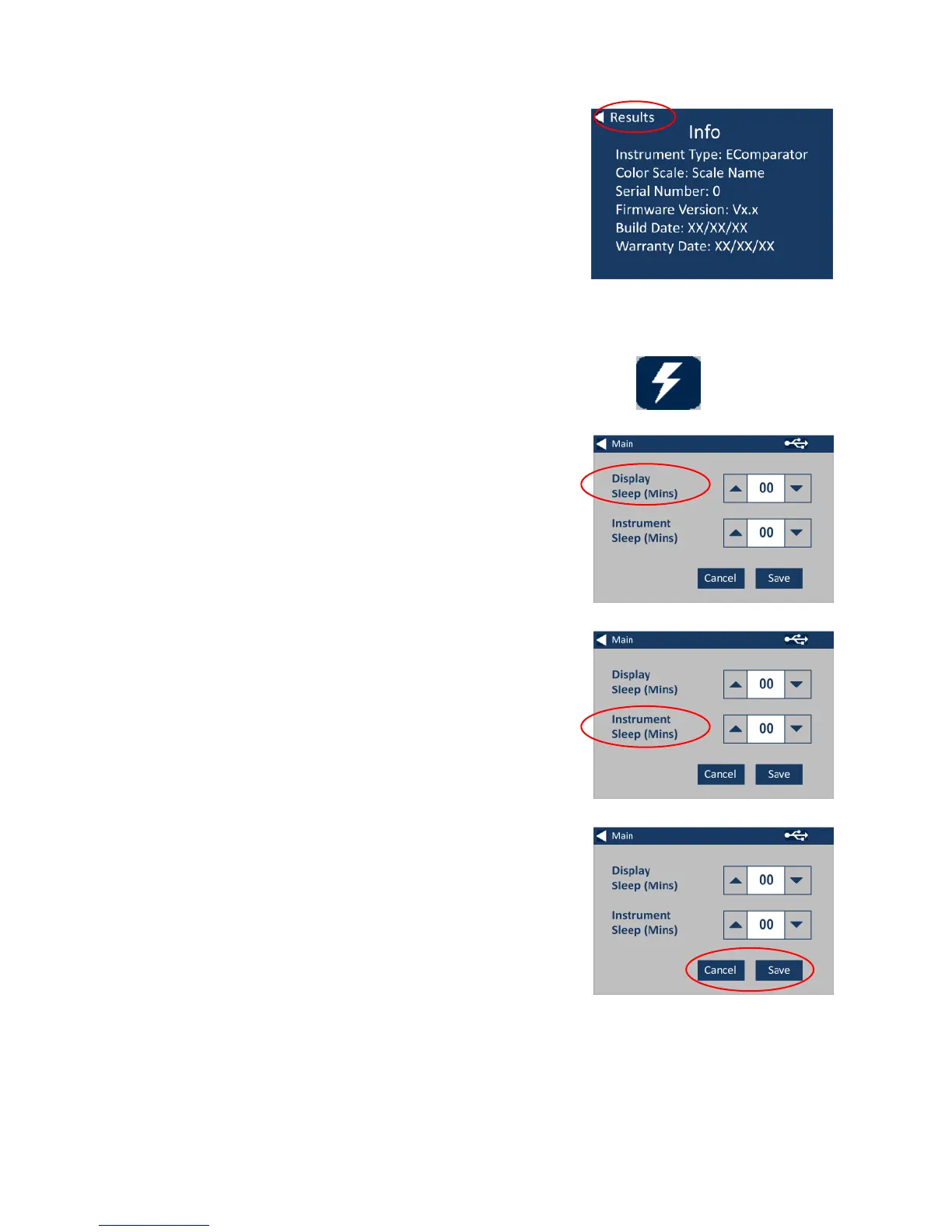
4a – The information screen will be
displayed. Press the back arrow to
return to the results screen.
(Please Note: “Scale Name” will be
replaced by the Scale your
EComparator measures).
5 - For Power Saving Settings, press
the Power Icon.
5a – Press the up and down arrows
to adjust the time interval before
the display goes to sleep in minute
increments.
5b – Press the up and down arrows
to set the time interbal before the
instrument shuts down after being
inactive.
To restart the instrument, press the
power button.
5c - To save the settings, press
Save, or to cancel the changes,
press Cancel.
5d- If screen starts to dim, press
anywhere on the screen to turn
backlight on.








 To Next Page