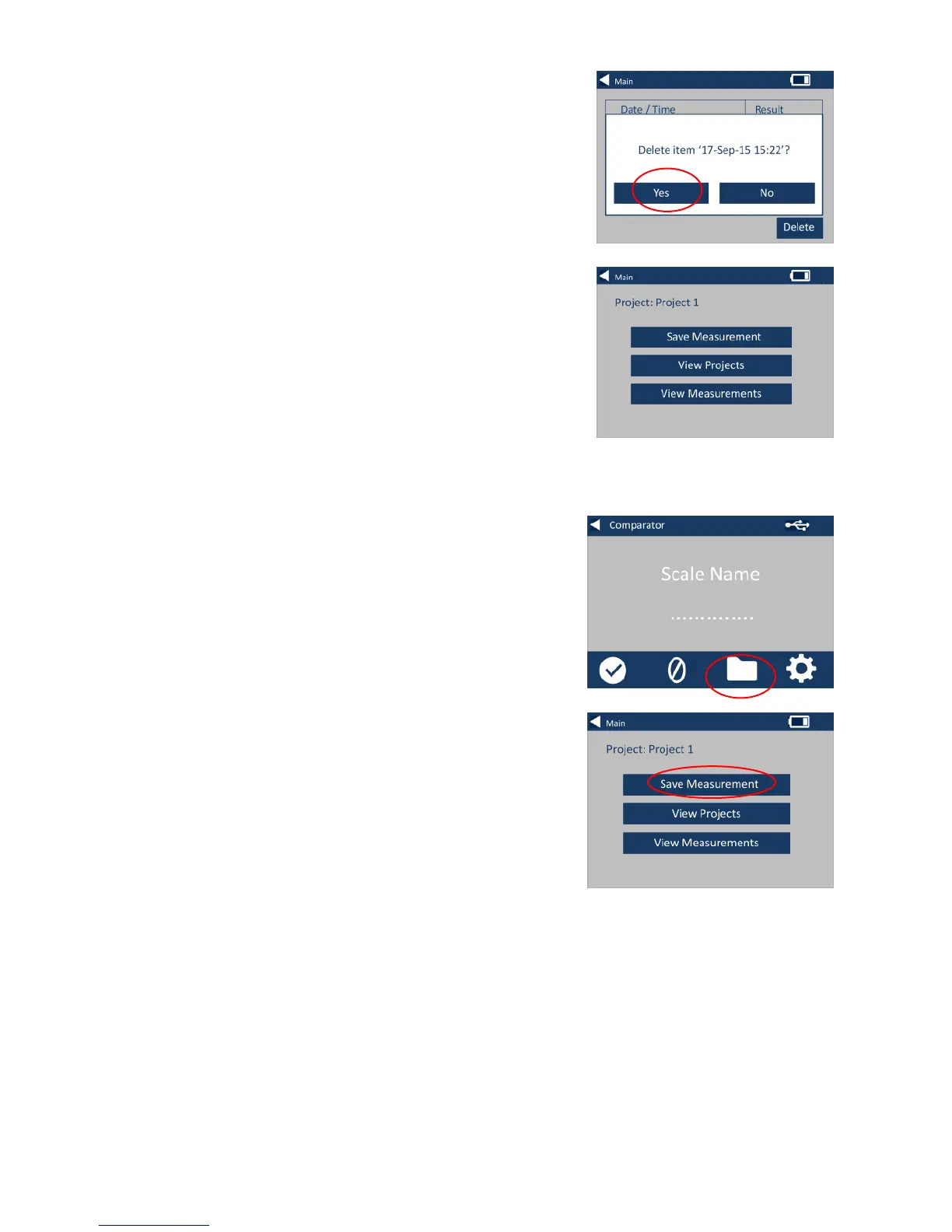
25 – The following prompt will
appear. Select Yes to confirm.
26 – To view the measurements
from the main project screen for
the current project (named at the
top of the screen), select View
Measurements.
Save a Measurement (manual saving)
27 – If automatic saving is not
enabled, you can save every
measurement taken by selecting
Projects.
28 – On the main projects screen,
select Save Measurement. This will
save to the current project.








 To Next Page