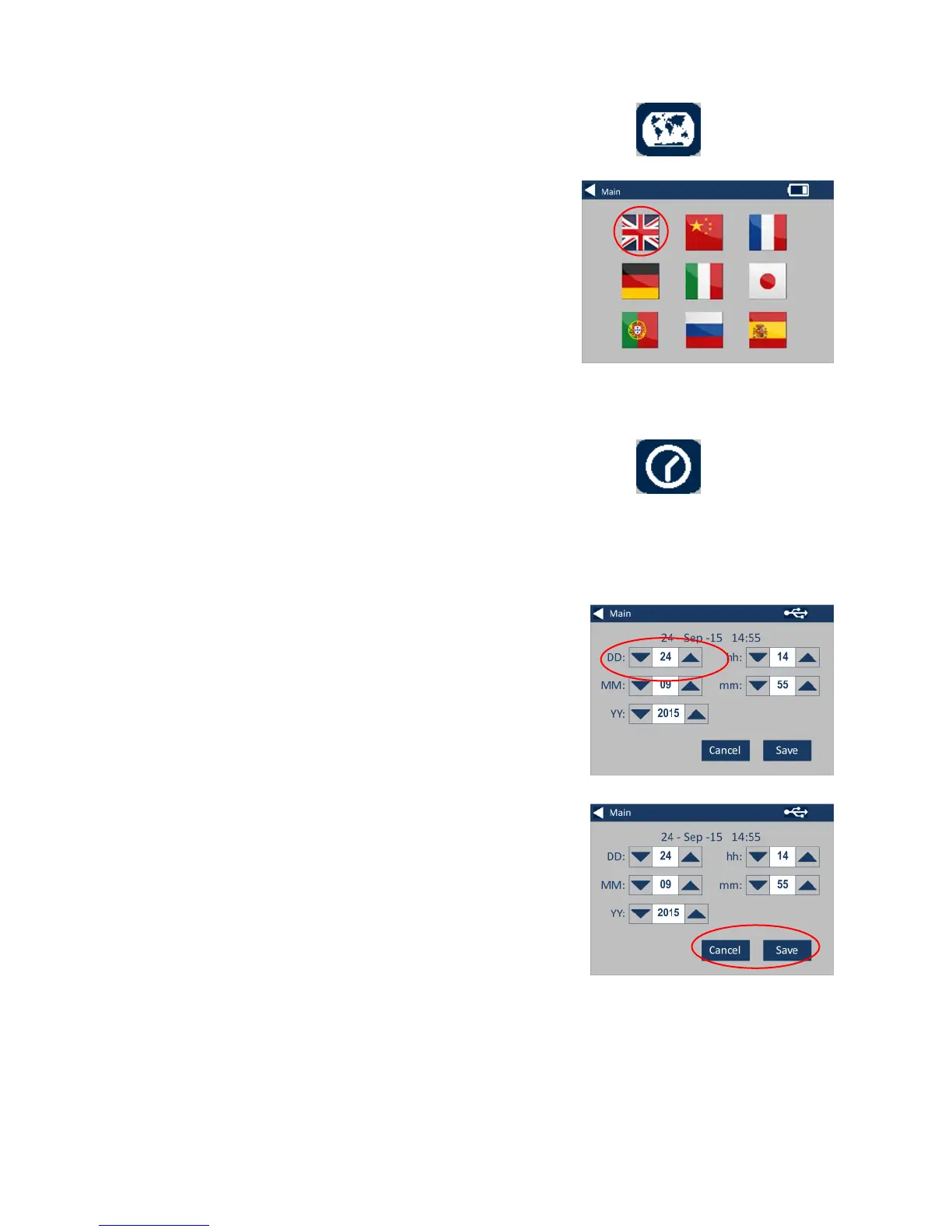
6 - For Regional Settings, press the
Regional Icon.
6a - Select the language that you
would like the instrument to
display.
The instrument will return to the
settings screen.
7 - To set the Date and Time, press
the Clock Icon.
The current time shown is the time
the screen was opened, and does
not continuously update.
7a – Use the up and down arrows
to set the date and time.
7b - To save the settings, press
Save, or to cancel the changes,
press Cancel.








 To Next Page