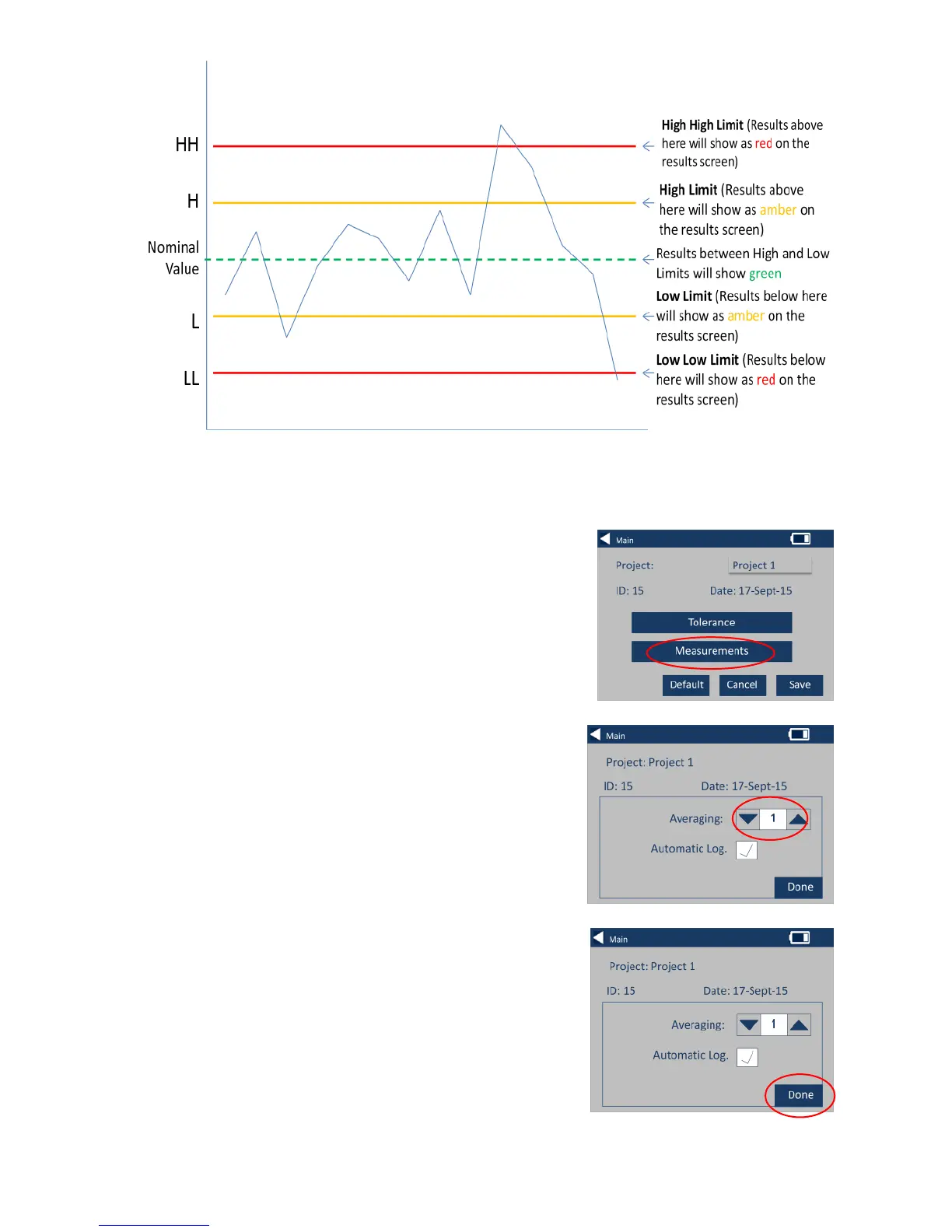
Averaging and Automatic Log (automatic saving)
10 – To change the Averaging and
Automatic Log (automatic saving),
select Measurements.
11 – To change the Averaging, use
the up and down arrows
(This will set the number of
measurements taken per test then take
an average of those measurements).
12 – To set the automatic logging,
select the Automatic Log checkbox.
This will save every measurement
that is taken. Select Done when
complete.








 To Next Page