18
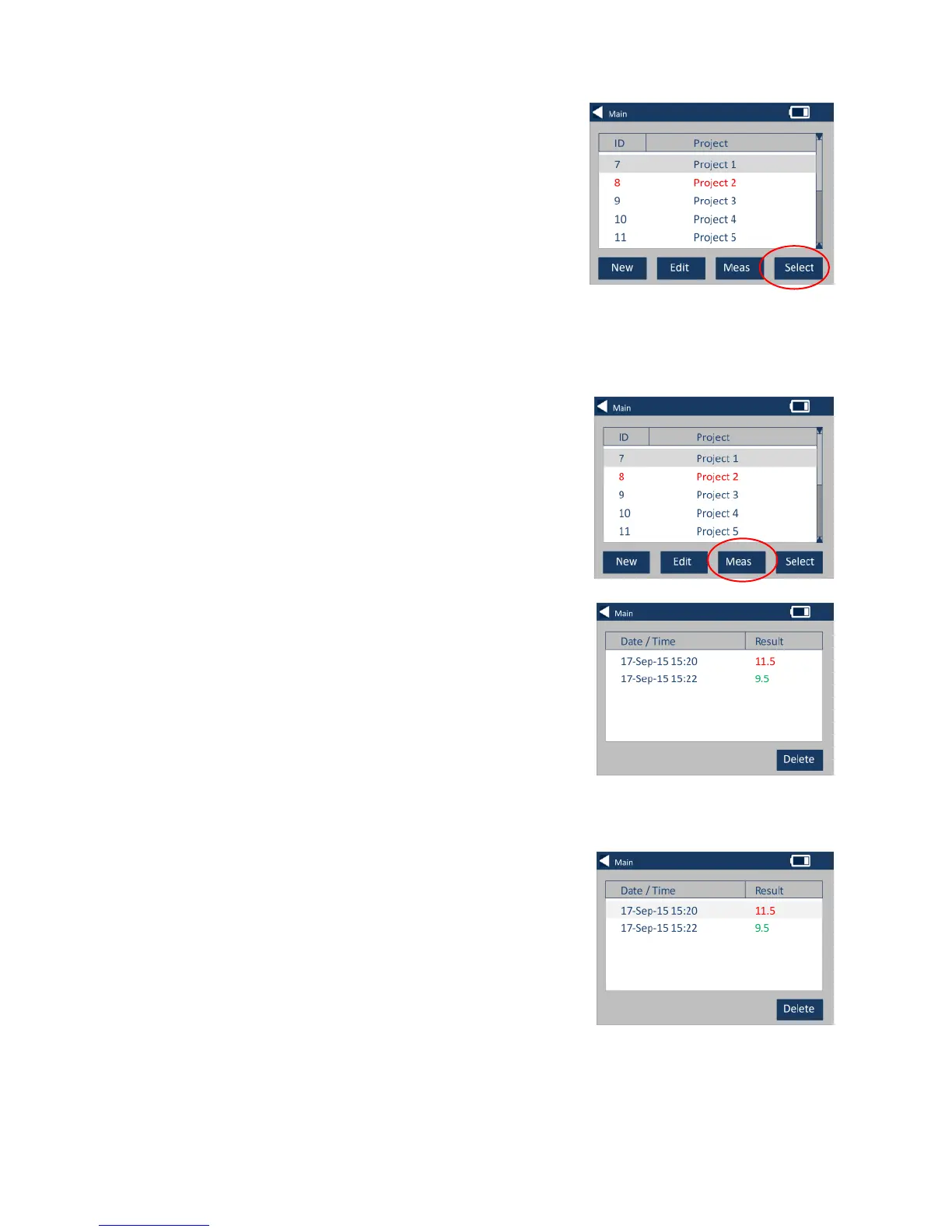
Make a Project Current
21 – To make a project current, go
to the project list, highlight the
project required then press Select.
All readings will be saved into the
current project.
22 – To view the measurements of
a project, go to the projects list,
highlight the project required then
press Meas.
23 – This will bring up a list of the
measurements stored for this
project. If the tolerance limits are
switched on (step 7), the results will
be displayed as in the tolerance
column (see page 15)
24 – To delete a measurement,
highlight the measurement then
select Delete.








 To Next Page