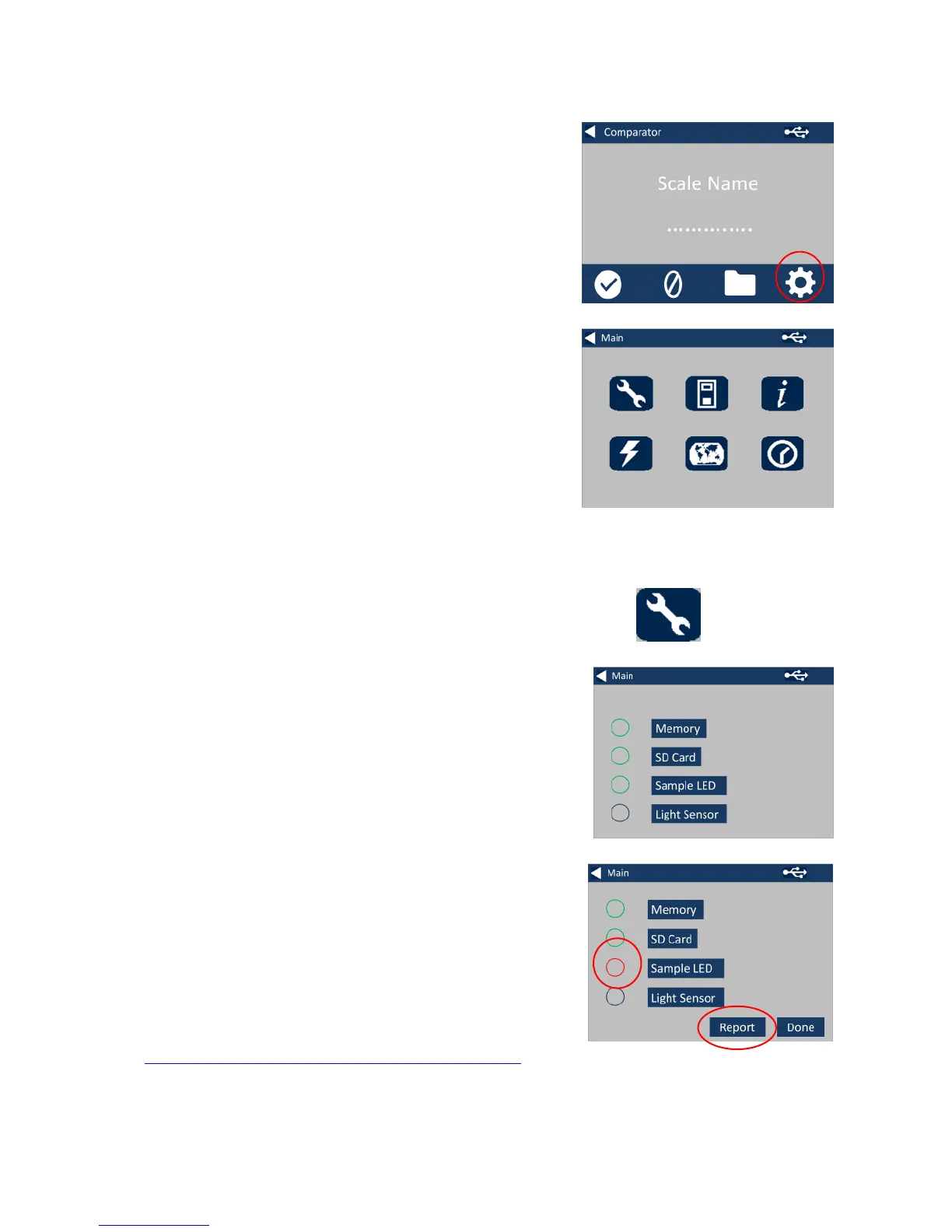
1 - To enter the settings menu,
press the settings icon at the
bottom tool bar.
1a -The settings display will show.
2 - For Instrument Diagnostics,
press the Diagnostics Icon.
2a - The instrument will perform
diagnostics on the Memory, SD
Card, LED and Light Sensor.
2b - Any errors will be shown in red.
To view detailed information select
Report.
Please contact you local service centre
for help.
www.lovibondcolour.com/ServiceCenter








 To Next Page