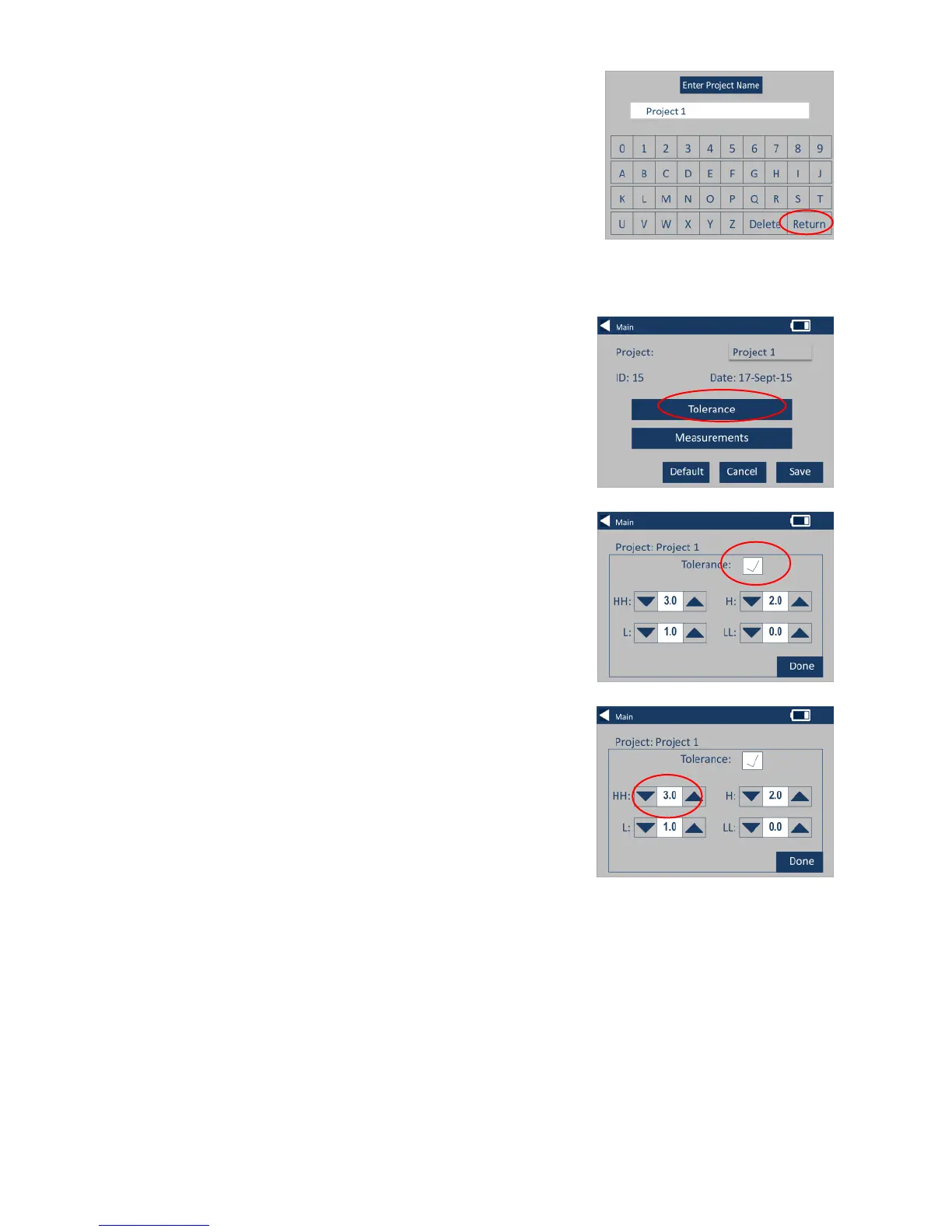
6 – Enter the new project name
using the keypad, then select
Return.
7 – The instrument will display
the Project Settings Screen, to
set the Tolerances, select
Tolerance.
8 – To apply the tolerance
limits, select the Tolerance
checkbox.
9 – To change the tolerance
values, use the appropriate up
and down arrows. Select Done
when complete.








 To Next Page