EasyManua.ls Logo

LOYTEC L-STAT - Page 35

LOYTEC L-STAT
61 pages
Print Icon
To Next Page IconTo Next Page
To Previous Page IconTo Previous Page
Loading...
L-STAT User Manual 35 LOYTEC
Version 1.0 LOYTEC electronics GmbH
Register Name
Register
Address
Bit Position
15
14
13
12
11
10
9
8
7
6
5
4
3
2
1
0
config_touch_
button_0
208
0x00D0
DA
[1]
ED
[0]
EU
[1]
DAD
[0]
DAU
[1]
MF
[0]
R
[0]
EN
[1]
set_point_index
[0x00]
config_touch_
button_1
209
0x00D1
DA
[1]
ED
[0]
EU
[1]
DAD
[0]
DAU
[1]
MF
[0]
R
[0]
EN
[1]
set_point_index
[0x01]
config_touch_
button_2
210
0x00D2
DA
[0]
ED
[0]
EU
[0]
DAD
[0]
DAU
[0]
MF
[0]
R
[0]
EN
[1]
set_point_index
[0x00]
config_touch_
button_3
211
0x00D3
DA
[0]
ED
[0]
EU
[0]
DAD
[0]
DAU
[0]
MF
[1]
R
[0]
EN
[1]
set_point_index
[0x00]
config_touch_
button_4
212
0x00D4
DA
[1]
ED
[1]
EU
[0]
DAD
[1]
DAU
[0]
MF
[0]
R
[0]
EN
[1]
set_point_index
[0x00]
config_touch_
button_5
213
0x00D5
DA
[1]
ED
[1]
EU
[0]
DAD
[1]
DAU
[0]
MF
[0]
R
[0]
EN
[1]
set_point_index
[0x01]
config_touch_
button_6
214
0x00D6
DA
[0]
ED
[0]
EU
[0]
DAD
[0]
DAU
[0]
MF
[0]
R
[0]
EN
[1]
set_point_index
[0x00]
config_touch_
button_7
215
0x00D7
DA
[0]
ED
[0]
EU
[0]
DAD
[0]
DAU
[0]
MF
[0]
R
[0]
EN
[1]
set_point_index
[0x00]
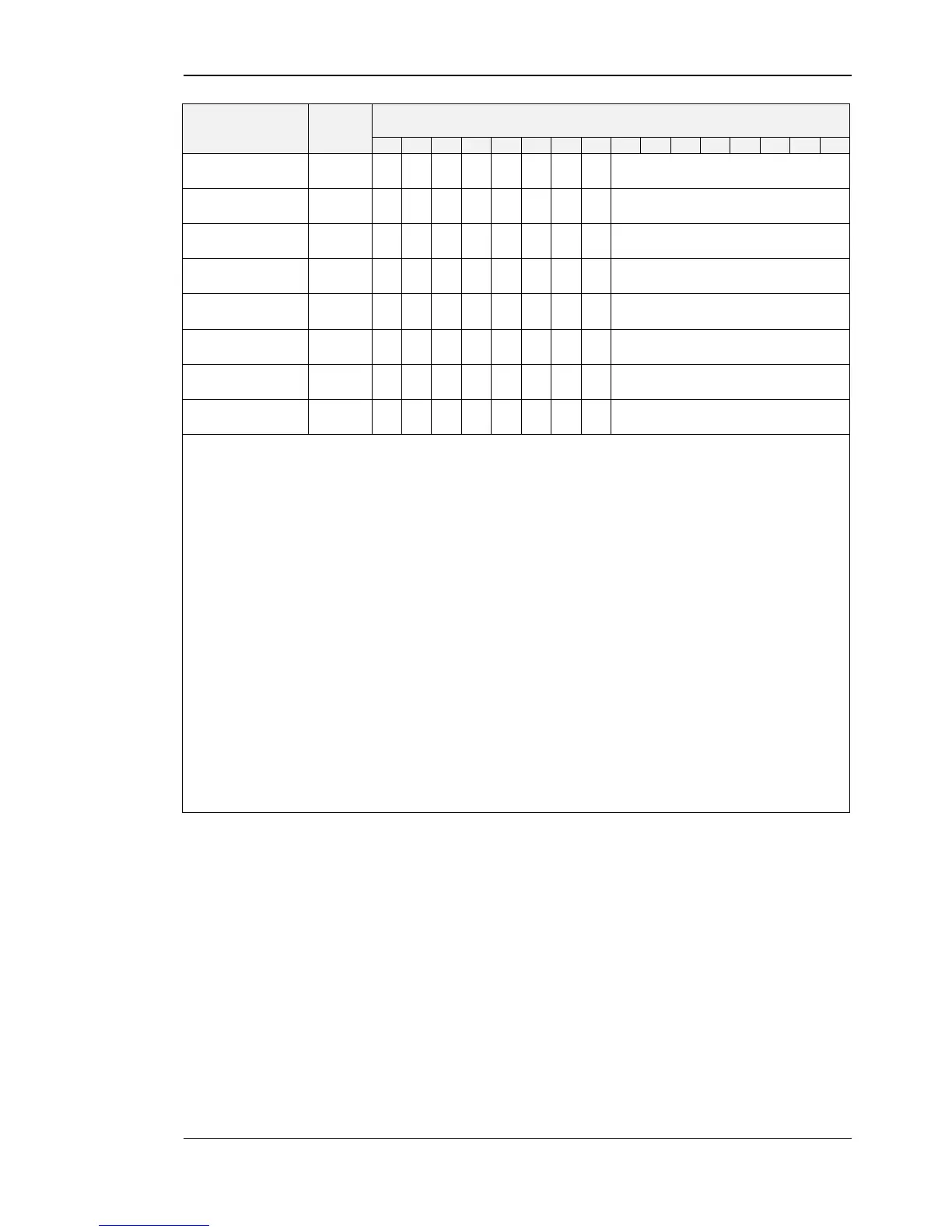
With these registers the functionality of the touch buttons is defined.
See Table 26 on Page 37 for example configurations.
set_point_index:
defines a set point register that can be edited in DIRECT_ACCESS-
mode if the DA bit is set
EN:
if set to 1 the defined button is enabled and its state will be updated
in the present state, short pressed and long pressed register at Table 7
on Page 22
MF:
if set to 1 the button is defined as MENU-button
DAU:
if set to 1 the button is defined as UP-button
in DIRECT_ACCESS-mode
DAD:
if set to 1 the button is defined as DOWN-button in
DIRECT_ACCESS-mode
EU:
if set to 1 the button is defined as UP-button in EDIT-mode
ED:
if set to 1 the button is defined as DOWN-button in EDIT-mode
DA:
if set to 1 and the button gets pressed a set point defined by the
set_point_index will be displayed in DIRECT_ACCESS-mode
Table 24: Touch Button Configuration