EasyManua.ls Logo

Lumens LC200 - User Manual

Lumens LC200
38 pages
Print Icon
To Next Page IconTo Next Page
Loading...
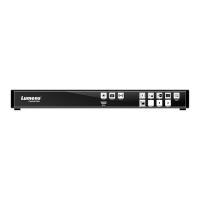
LC200
CaptureVision Station
[Important]
User Manual - English
To download the latest version of Quick Start Guide,
multilingual user manual, software, or driver, etc.,
please visit Lumens
https://www.MyLumens.com/support

Other manuals for Lumens LC200

Questions and Answers

Lumens LC200 Specifications

General IconGeneral
InternalNo
Product colorBlack
LED indicatorsYes
Number of persons- person(s)
Supported aspect ratios16:9
Analog signal format system-
HDMI in4
USB version3.2 Gen 1 (3.1 Gen 1)
Audio (L/R) out1
Headphone outputs0
USB connector typeUSB Type-A
HDMI ports quantity6
Number of HDMI outputs2
USB 2.0 ports quantityUSB 2.0 ports have a data transmission speed of 480 Mbps, and are backwards compatible with USB 1.1 ports. You can connect all kinds of peripheral devices to them.
Storage temperature (T-T)-20 - 70 °C
Operating temperature (T-T)0 - 40 °C
AC adapter output current2 A
AC adapter output voltage12 V
Maximum frame rate60 fps
Supported resolutions640 x 480, 1280 x 720, 1920 x 1080
Supported video modes480p, 720p, 1080p
Megapixel- MP
Weight and Dimensions IconWeight and Dimensions
Depth122.5 mm
Width431 mm
Height44.3 mm
Weight1200 g

Summary

Safety Instructions

Product Overview

RS-232;RS-485 I;O Pin Description

Installation Instructions

Function Description

Network Settings

Configuring network IP address, subnet mask, and gateway.

Video Source Management

Adding and managing network cameras and streaming sources.

Video Settings

Configuring recording settings like mode, compression, and audio.

Streaming Settings

Configuring streaming protocols and parameters for network output.

Storage Settings

Configuring recording storage, disk information, and NAS settings.

Schedule Setting

Setting up scheduled recording and standby/wake-up functions.

Director Functionality

Recording and Audio Settings

Configuring REC record settings and managing audio sources.

Scenes Layout and Camera Settings

Customizing scene layouts and controlling camera PTZ, focus, zoom.

File Management

Troubleshooting

Boot and Image Output Issues

Solutions for power signal and no image output problems.

Panel and Camera Control Issues

Solutions for unresponsive panels and camera control failures.

Related product manuals