English - 36
8.23.5 I would like to set the PS660 as a PC Camera
1. Press [MENU] on the remote control or control panel to enter the
setting menu.
2. Press [] or [] to the [Setting] menu.
3. Press [] to find [USB Transfer].
4. Press [] or [] to select [Camera].
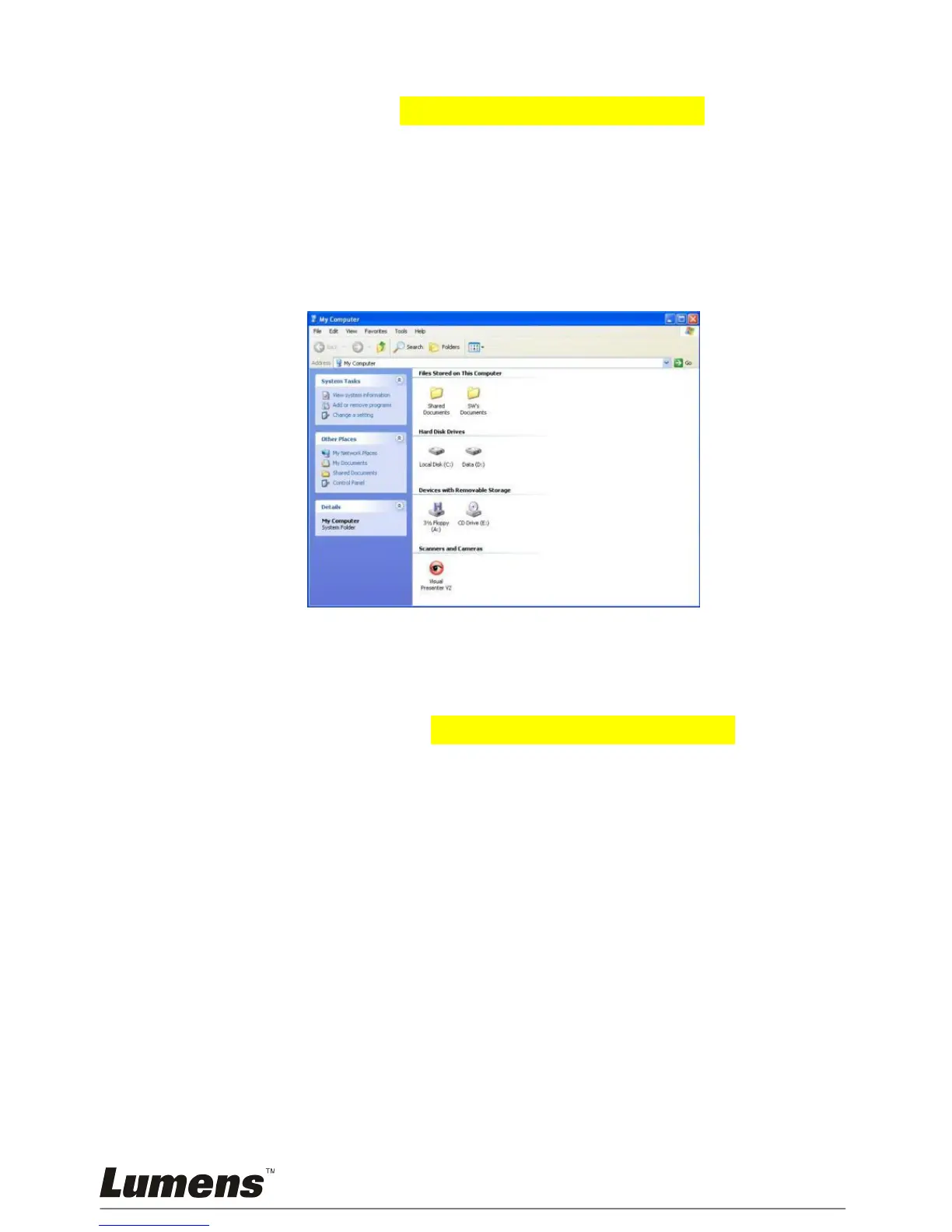
5. A window will be displayed, showing the [Visual Presenter V2], as
shown below.
6. Click the [Visual Presenter V2].
8.23.6 I would like to set the PS660 as a Removable Disc
1. Press [MENU] on the remote control or control panel to enter the
setting menu.
2. Press [] or [] to the [Setting] menu.
3. Press [] to find [USB Transfer].
4. Press [] or [] to select [Storage device].
5. Press [MENU] to exit.
6. A [Removable Disc] will be displayed.
<Remark> The Removable Disc will select SD card if a SD card
has been inserted, but if a SD card has not been inserted, the
Removable Disc is internal memory



 To Next Page