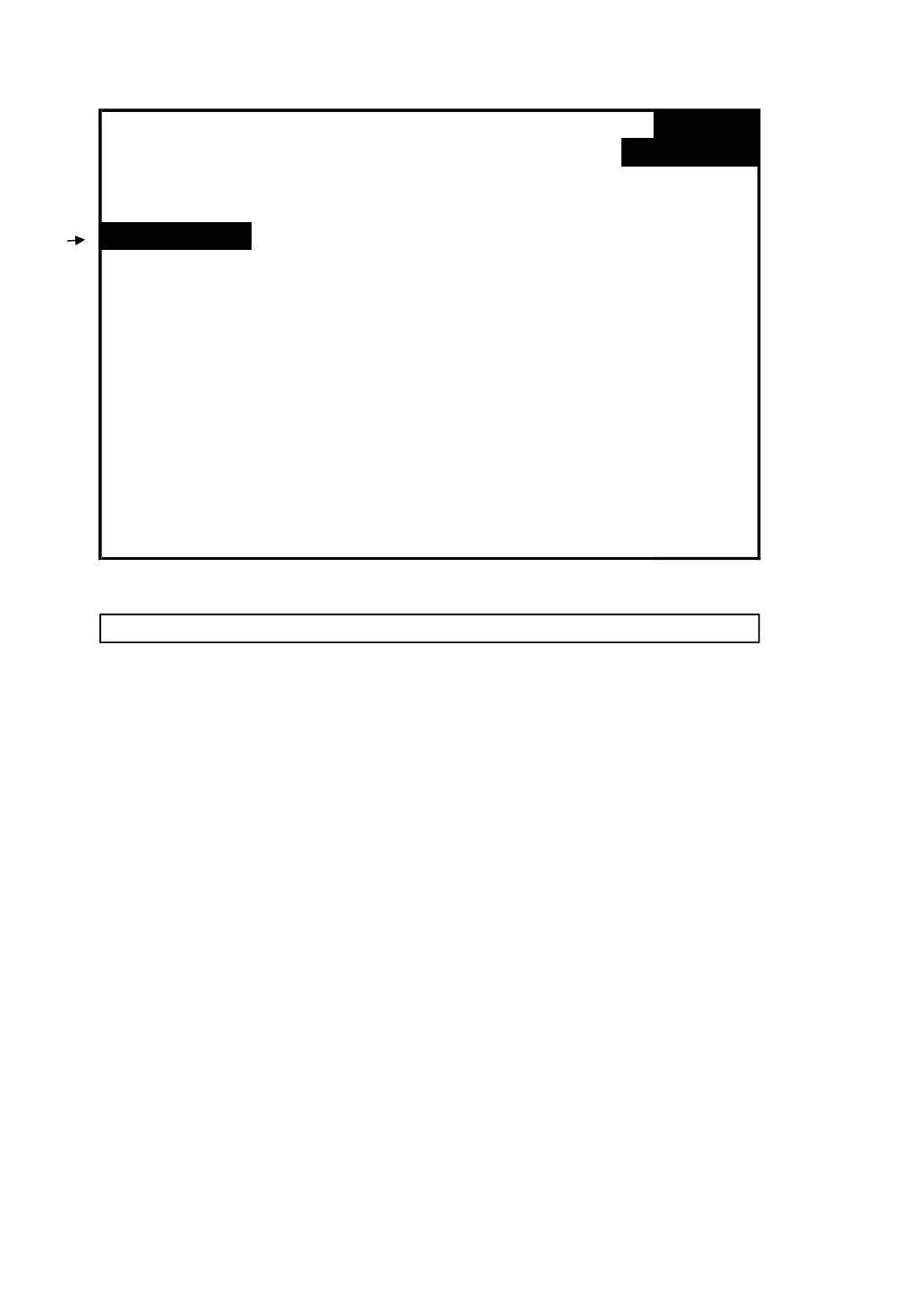
screen 2 ( 4-5-4 )
Folder Name: WTA01
SETUP
File Name: 3P401001.XLS
SHIFT 1
REC Date: 2008-11-28 00:03:17
2 Trans Ref : 220.0 V
Delete File:
Y OR N SDVP : 10%
SD Format: 0 % Decimal: Basic
Use Size: 388 KB Clamp Type: CP1201
Free Size: 1946 MB A Range: 200A
Total Size: 1946 MB V Range: 200mV
RS232 Out Sel:
PT: 1 : 1 V1 I1 P1
CT: 1 : 1 S1 Q1 PF1
Beep: ON Φ1 Φ1 FREQ
Year Month Date Hour Minute Second
2010 11 13 14 37 25
4-5-5 SD Format : Formatting function for SD CARD
A : The indicator " Y or N " will appear on right side
display of the option while pressing SHIFT KEY
continuously at least two seconds, and press ▲ the
display will show " Y " in highlight as screen 2,
press SETUP KEY again to confirm to format SD CARD
then return to screen 1, or else press SETUP KEY in
" N " option return to screen 1.
B : Press ▼ in screen 1 to enter next setting function ( SD
Format → PT ).
24











 To Next Page