12
Quick Start
1. Download and Install the Software
We highly recommend downloading and installing the included software applications and their
sound content: Arsenal, AIR Drums, and Hybrid 3.0.
Windows users: The download package will include a Windows driver for use with Arsenal.
1. Go to m-audio.com/softwaredownload and download the installation files for the
software applications (for your computer's operating system) and sound content. These
files may be large, so this may take a while!
2. Open the first file and double-click the .exe (Windows) or .dmg (Mac OS X).
3. Follow the on-screen instructions to complete the installation.
4. Repeat Steps 2-3 for the remaining files.
2. Connect
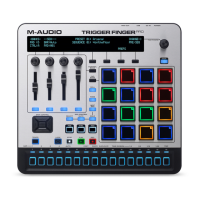
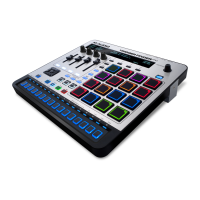
Here is just an example of how to use Trigger Finger Pro to your setup:
MIDI
PIANO
ORGAN
GUITAR/BASS
BRASS/ORCH
SYNTH/PAD
RHYTHM
SPECIAL FX
PATC H
PERFORM
RHYTHM
GM
Computer
Wall Power
(optional,
power adapter
sold separately)
External MIDI Sound Module
(optional)
Items not listed under in the Box Contents section are sold separately.










 To Next Page