79
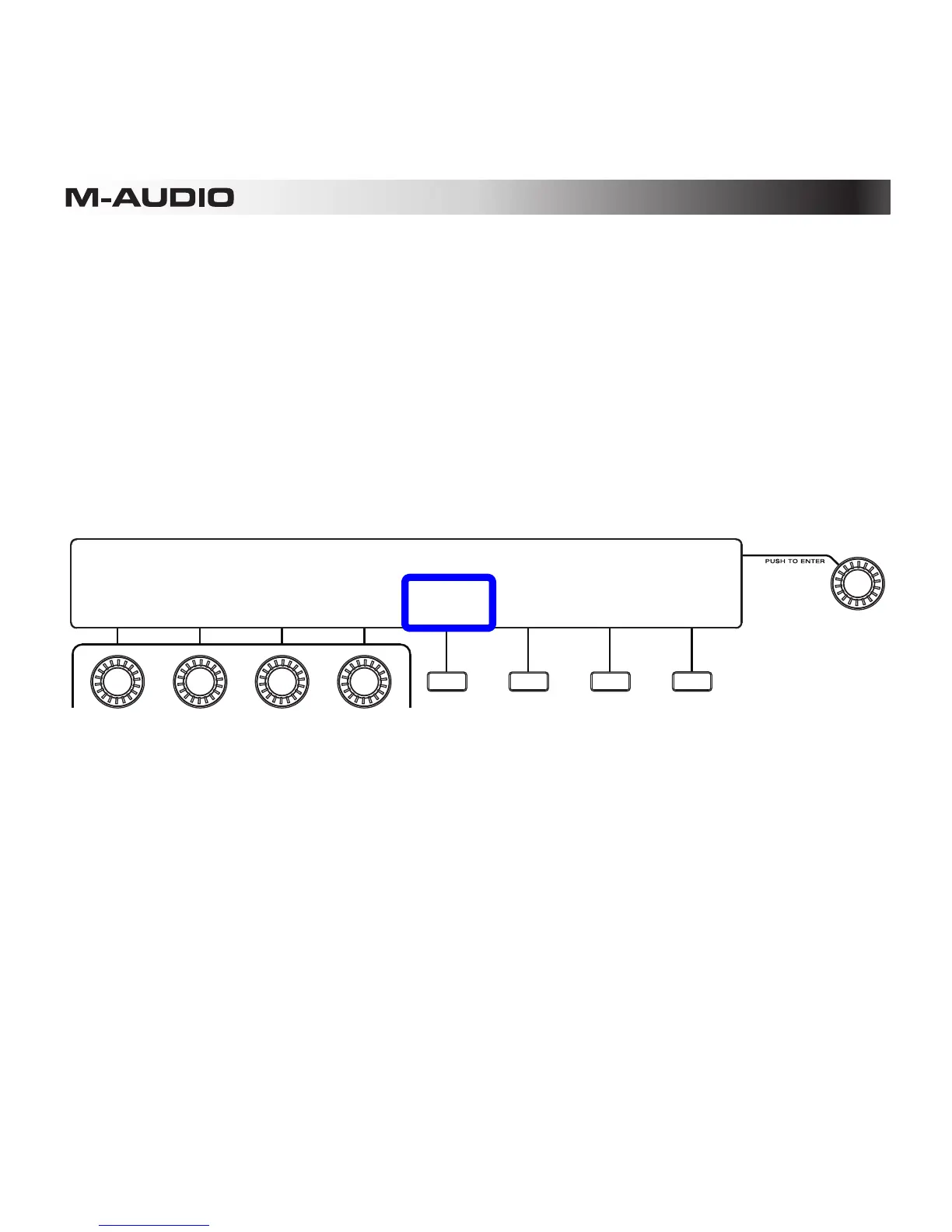
You can quickly disable all mutes (and solos) by using the Enable All feature.
To activate Enable All:
1. Enter Sequence Mode by pressing the Sequence Mode (Seq) button.
2. Check above the third Function Button (Page) to make sure you are viewing Page 2. If
you are on Page 1, press the button to move to Page 2.
3. Press the first Function Button (Enable All). All mutes (and solos) will be immediately
disabled.
4. Exit Sequence Mode by pressing the Sequence Mode (Seq) button or fourth Function
Button (Exit).
SEQUENCER 01: Sequence
TEMPO:
120
SWING:
50%
GATE
50%
STEPS:
16
CLEAR
ALL
PAGE:
2 of 2 EXIT
BANK:A BAR:01 PAD:A01
CHANGE->
SEQUENCE
ENABLE
ALL












 To Next Page